- 7 -
Connecting to the Internet Router
During the setup of your camera, ensure the camera is connected to
your Internet router for internet access. For this you will need the
internet cable provided and access to your internet router.
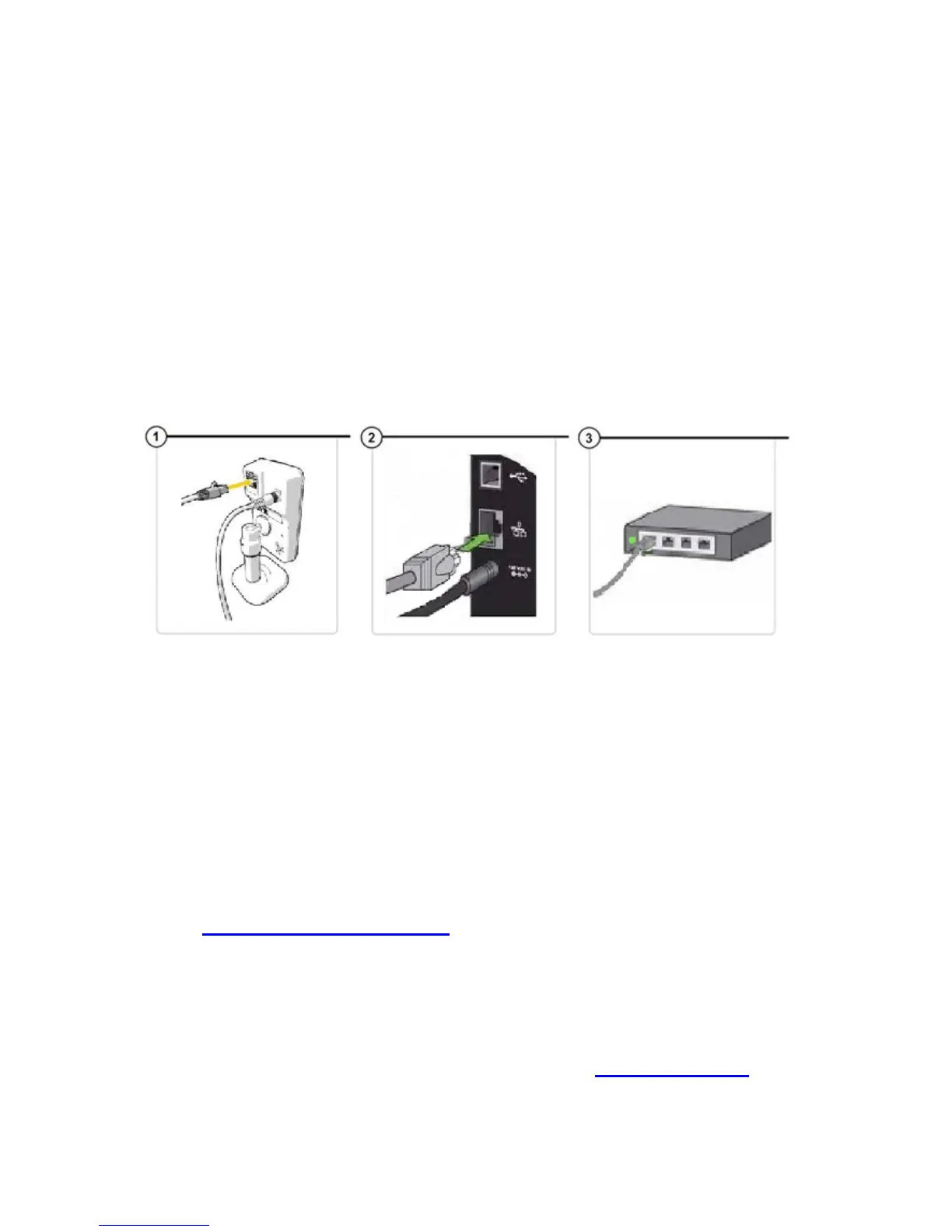
1. Put one end of the Ethernet cable into the back of the camera (See
image 1).
2. Put the other end of the Ethernet cable into the back of the router
(See image 2).
3. When the cable is put into the internet router, a green light should
appear (See image 3).
Downloading the software
Before you can start the set-up of your camera, you will require:
A computer
Internet access
Power supply
Time2 MIP11 Camera
Go to www.time2technology.com on your internet browser to get the
software required from an online download.
PLEASE NOTE: You will require a software that is able to unzip files (such
as Winzip) to open the download. Winzip is software which can open files
such as this download. This can be downloaded at www.winzip.com.
Most computers already have this software preinstalled.


 To Next Page