- 4 -
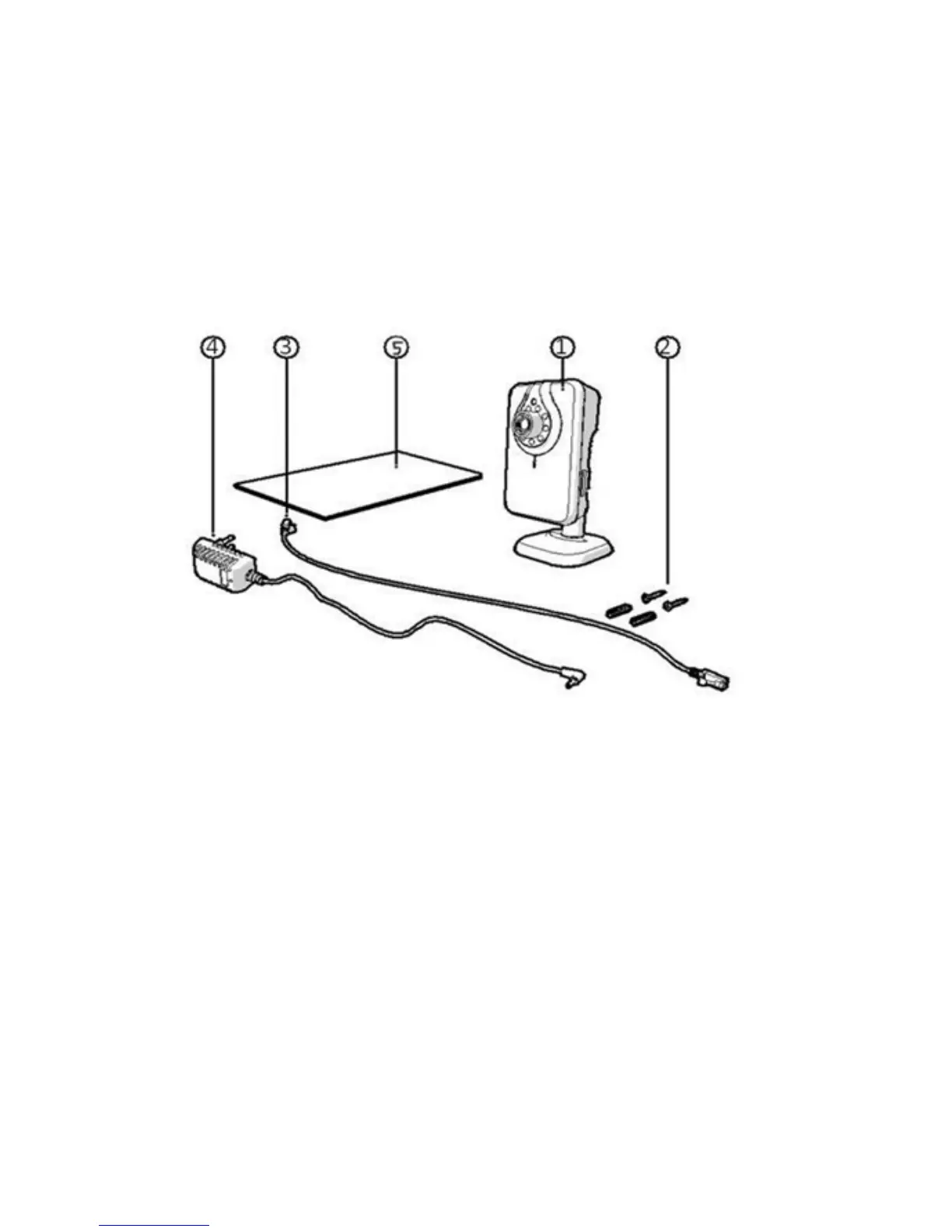
Main Components (What comes in the box?)
MIP11 Camera with base
2 Assembly screws and plugs
Ethernet (internet) cable
DC supply (Power lead)
User’s manual
Connections
1. Ethernet port (Internet port)
2. DC connection (Power supply)
3. Reset opening
Camera Installation
Please ensure that the camera functions properly in the chosen location
before starting installation
You can choose to place the camera on a flat surface, or to attach the
camera to the location of your choice using the screws provided.


 To Next Page