- 9 -
Connecting to the software
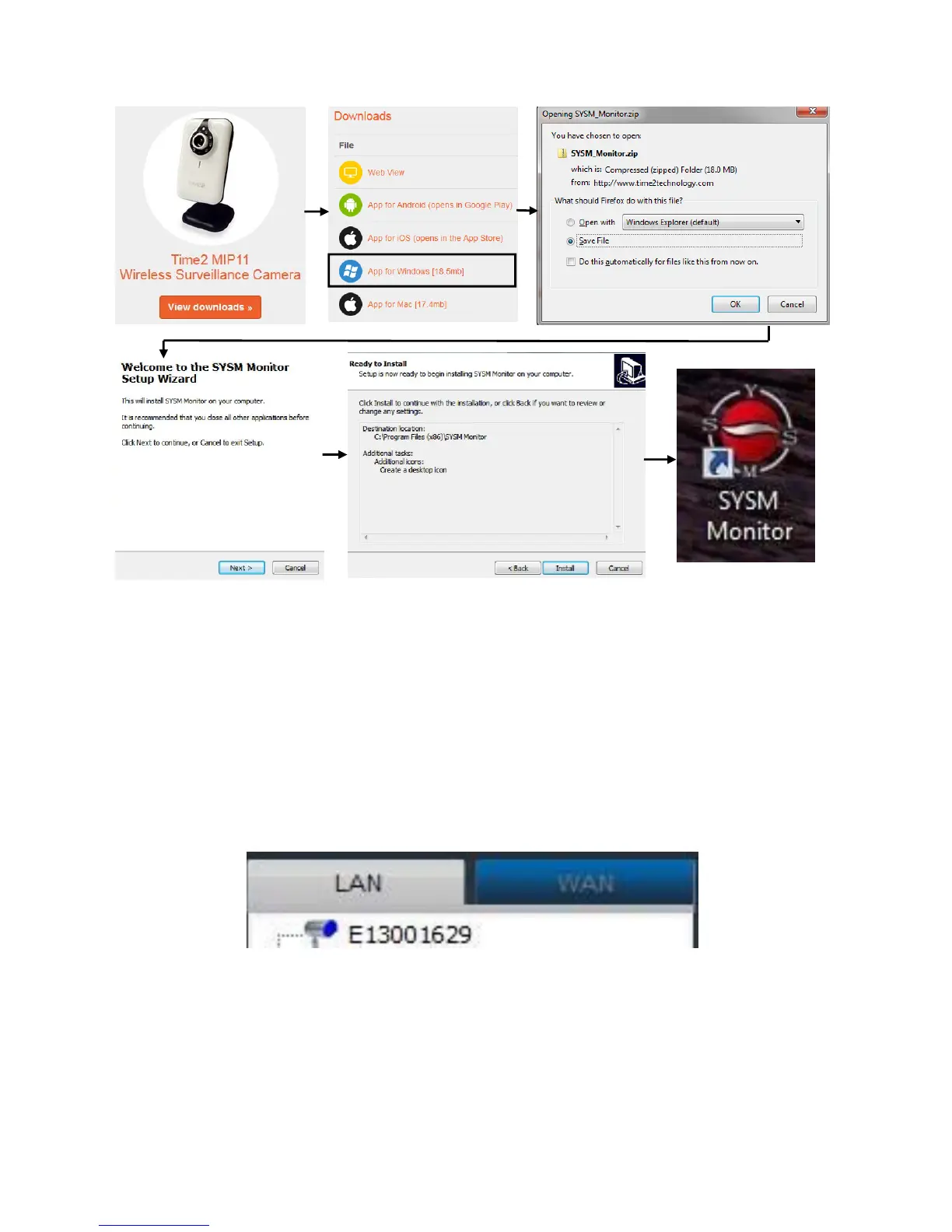
Open the ‘SYSM Monitor’ program. The desktop icon is
called SYSM Monitor.
When the camera is connected to the router, open the LAN tab and the
camera will automatically appear as shown below:
PLEASE NOTE: Please do all the other settings (e.g. Motion
detection) before running the camera on WiFi as these options
will not be available when the Ethernet cable is disconnected.


 To Next Page