- 20 -
How to save your recordings/images.
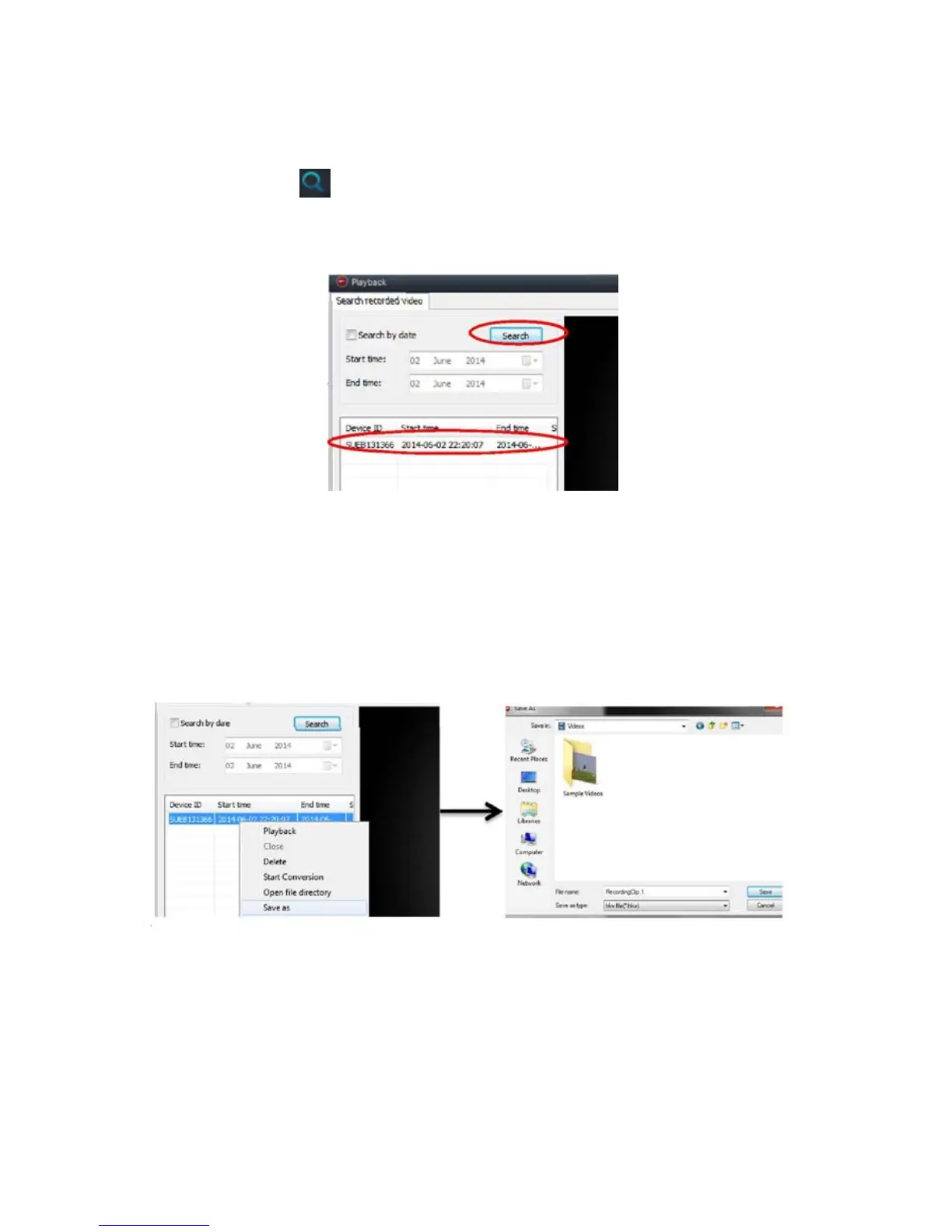
To view the camera recordings, click on the magnifying glass on
the main menu .
This will allow you to search for all recent recordings. (Search within
specific dates or view all recordings.)
To save the camera recordings, right click on the video/image you wish to
save. You will see a list and an option will be available to ‘save as’, click
this.
You will be asked to choose the folder you wish to store the file, choose
the name you wish for the file to be called and click ‘save’. The file will be
saved in the chosen folder.
Downloading the application to your Android/Apple device.
In order to view and control your IP camera using your smartphone you
will be required to download the application for your device


 To Next Page