11
Notication panel
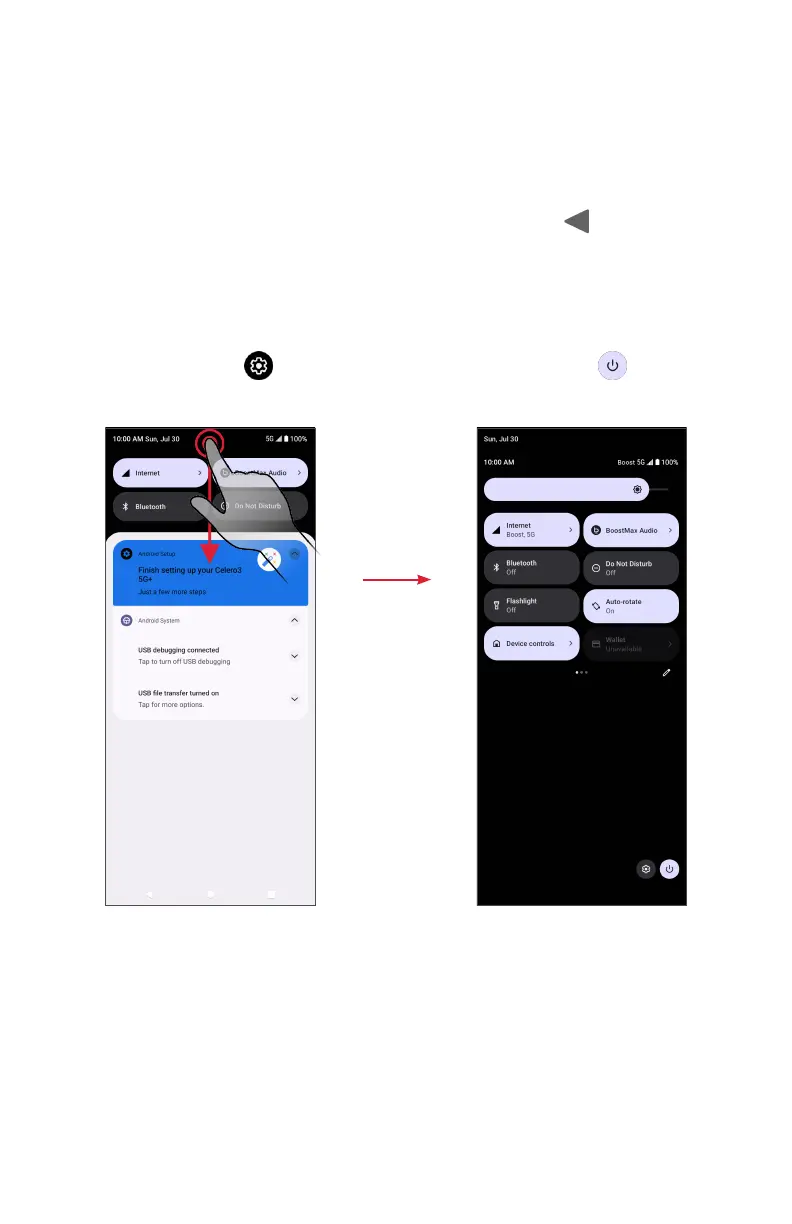
1. Swipe down on the Status bar to open the Notication panel.
2. To check notications, tap an item in the list.
3. Swipe le or right on a notication to delete it, or tap Clear all to clear all event-
based notications (other ongoing notications will remain).
4. To close notication panel, swipe up or tap the Back buon .
Quick Seings panel
1. Swipe down on the Status bar again from the Notication panel.
2. Tap a seing to turn it on or o.
3. You can tap Seings to access full seings or tap Power o to turn your
phone o.
Quick Seings panelNotication panel


 To Next Page