19
Camera and video
You can use the camera or video camera to take and share photos and videos.
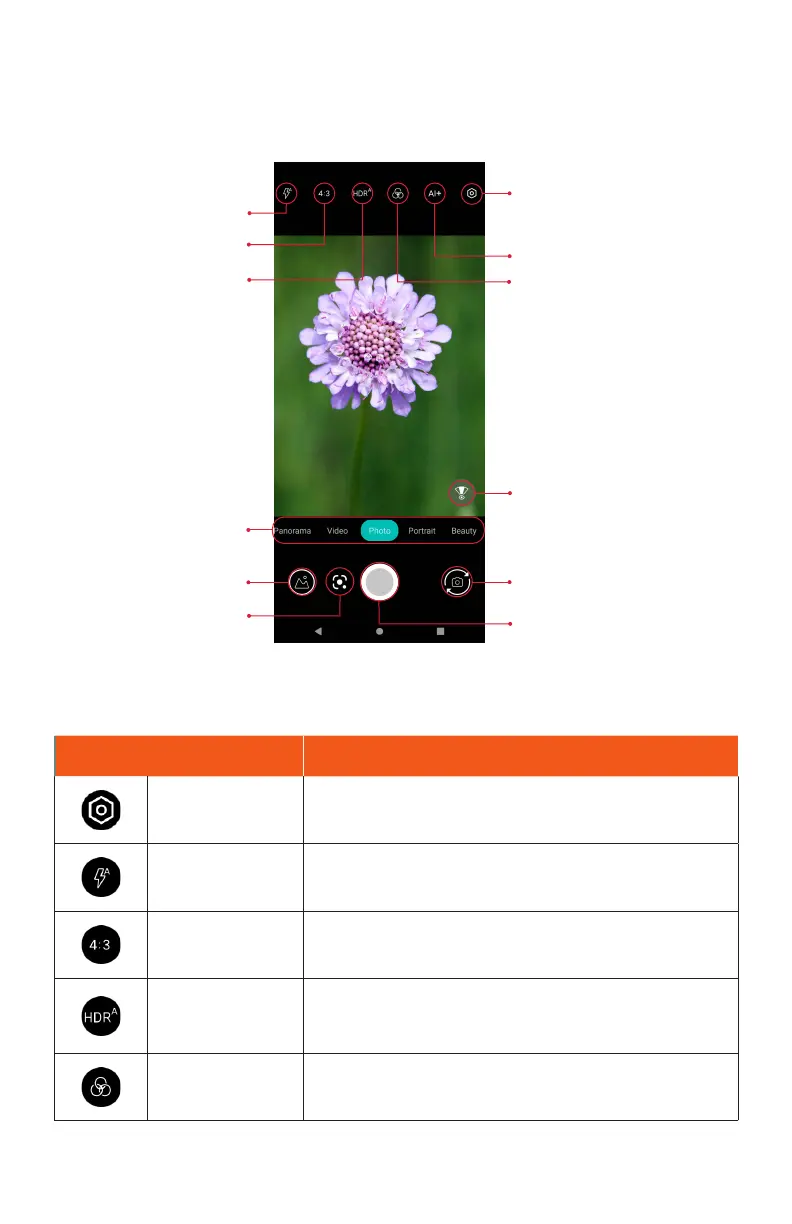
Flash
Seings
Picture size ratio
Switch Cameras
Wide-angle lens
Capture a photo
Gallery
Useful modes
HDR
Photo lters
AI Powered Enhance
Google Lens
On-screen icons
Icons Function/Service
Seings Select camera modes and seings options.
Flash Activate or deactivate the camera ash.
Picture size
ratio
Set the photo quality and aspect ratio.
HDR enhance
Activate or deactivate High Dynamic Range
enhance mode for clearer, more vivid photos.
Photo lters Choose from a variety of photo color lters.



 To Next Page