Getting started
9
e
n
g
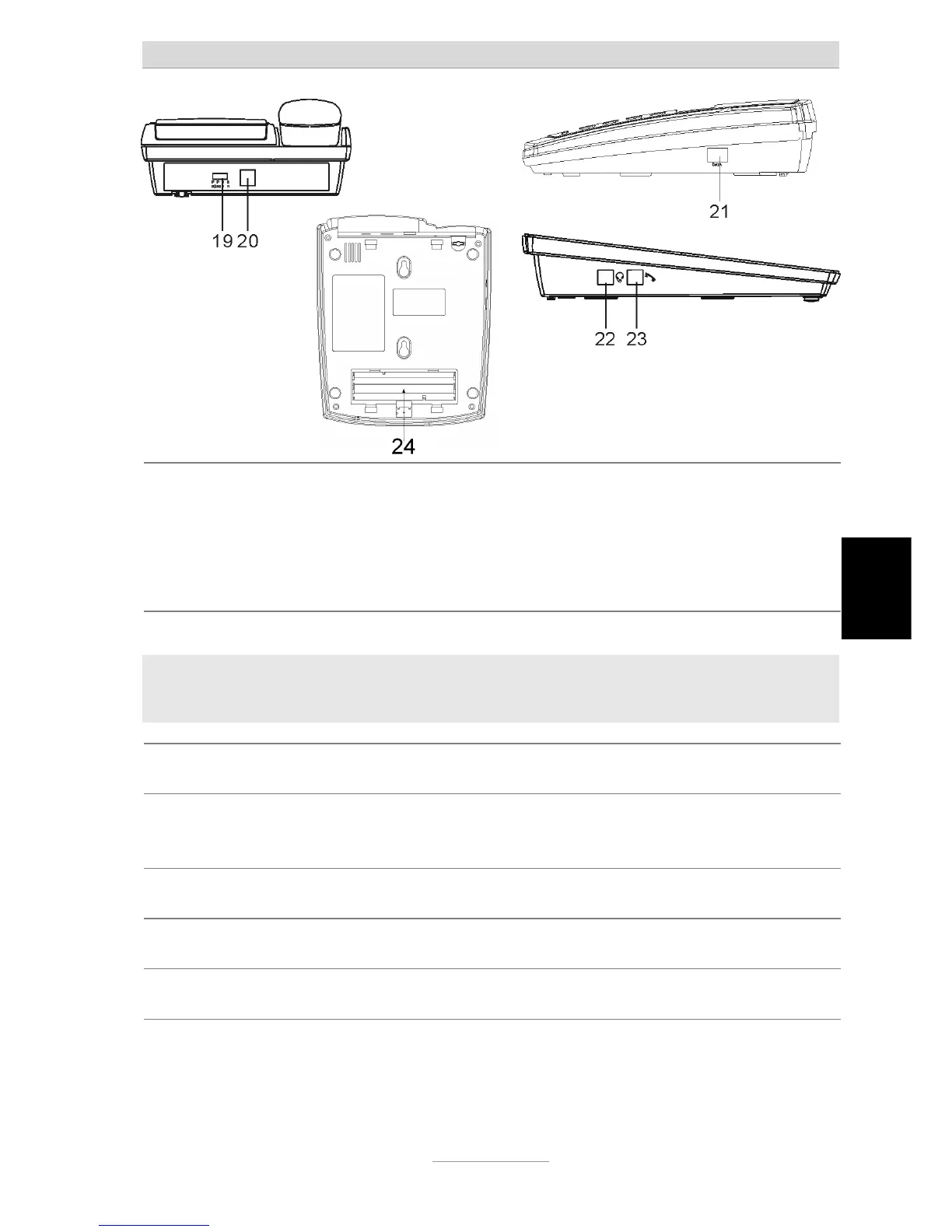
19. Message Waiting
Switch
Switch from SR/HV/PR1/PR2 (see chapter Message Waiting Indication)
SR: Using burst ringing signal to switch on MWI
HV: Using line voltage above 70V to switch on MWI
PR1: Using line polarity to switch on/off MWI
PR2: same as PR1, but polarity inverted
Note:
The Message Waiting Switch is good for operating the phone behind a PABX.
Switch position has to be PR1 or PR 2 for operation on a public line.
20. Line Jack Connect to wall socket using telephone cord supplied.
21. DATA Jack
Connect e.g. data modem or answering machine, solely use devices with
own power supply, no devices feeded from the telephone line are allowed
22. Headset Jack Western 4/4 (RJ11), use tiptel-approved headsets only
23. Handset Jack Connect handset using coil cord supplied.
24. Battery cover Use 4 x AA size batteries only (Alkaline)



 To Next Page