coming call. If they can’t find the contact in the local directory, it will search them
through LDAP server, and show the contact name in the LCD. The LDAP Lookup For
Incoming Call option can be configured to enable or disable this function via web
interface.
3. The function of Dial-up directory: under the dial interface, each time you press a key
there are inquiring for a number. It will show on the LCD and let the user to choose. The
LDAP Lookup For PreDial/Dial option can be configured to enable or disable this function
via web interface.
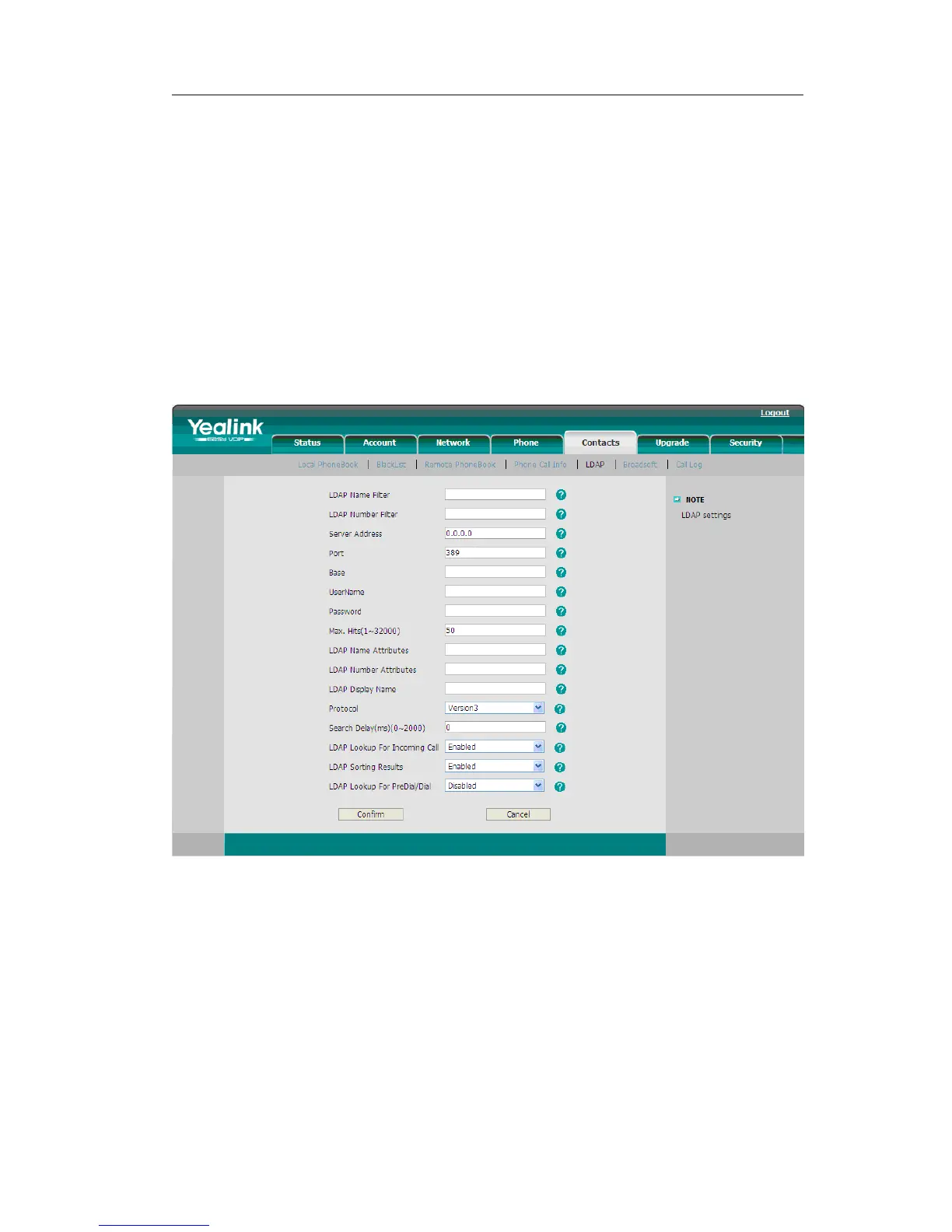
To set the LDAP via the Web interface:
1) Choose Contacts->LDAP.
2) Configure the corresponding options
3) Click Confirm to save the change.
Other Settings
Key as Send
Users can set a specific button (“#” or “*”) to active as the send button.
To set the send key via the IP phone interface:
1) Press Menu->Features->Key as Send->Enter to enter the configuration page.



 To Next Page