Network Conference
If you want to make a conference with more than three people, you can open the
function of network conference.
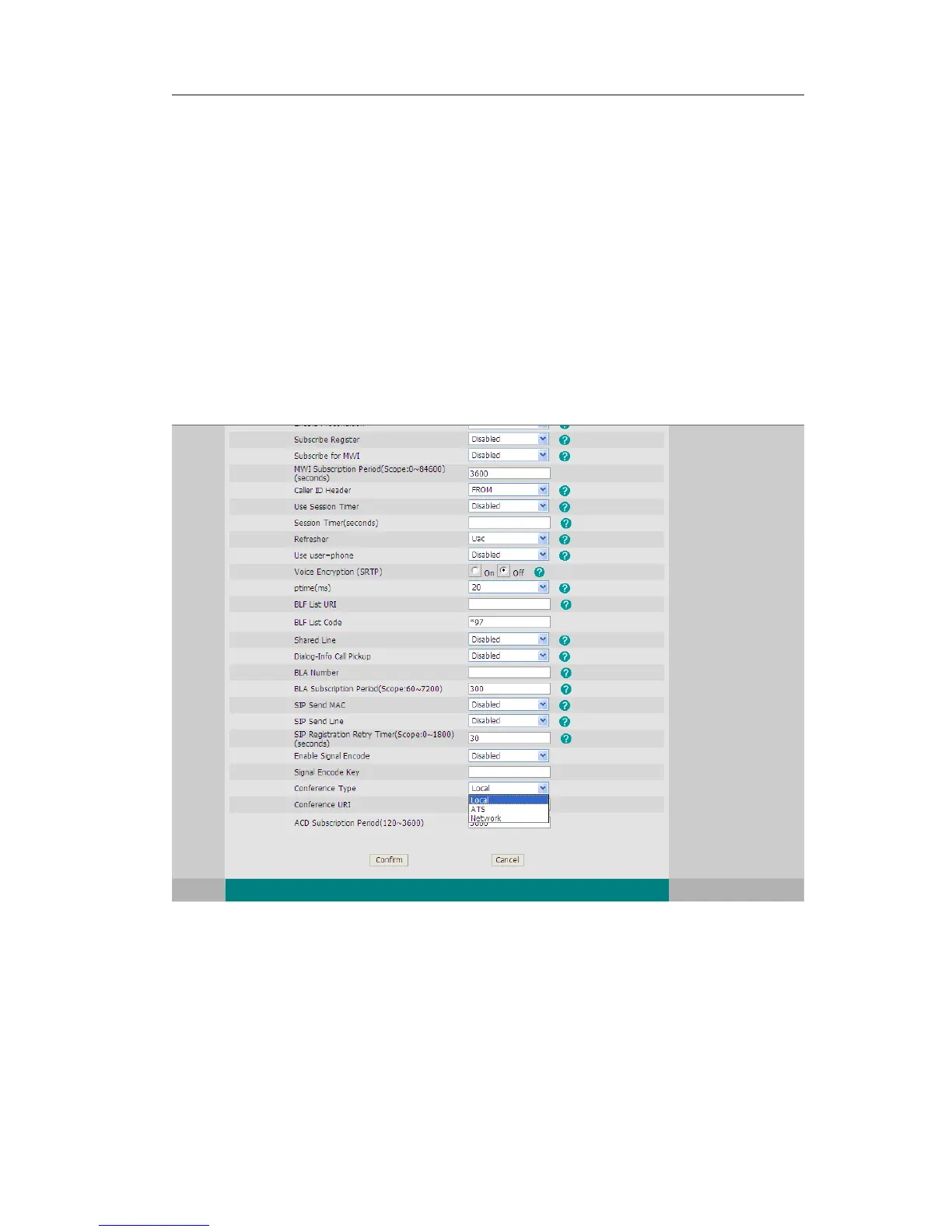
If you enabled this function, you can put the meeting conference on the server.
To enable network conference via web interface:
1) Choose Account->Account X->Advance->Conference Type, there is a pull-down
menu, choose network from the list.
2) Enter the Conference URI.
3) Press Confirm button to save the changes.
To establish a conference:
1) Press the Conf hot key during an active call.
2) Dial the number to conference in, then press the Send hot key
3) When the call is answered, press the CONF button.
4) After starting a three way conference, press Conf button to enter Conference
dialing interface and invite another party to participate in teleconference.
5) After starting conference, press Hold key to Hold local call without influencing
others in conference.



 To Next Page