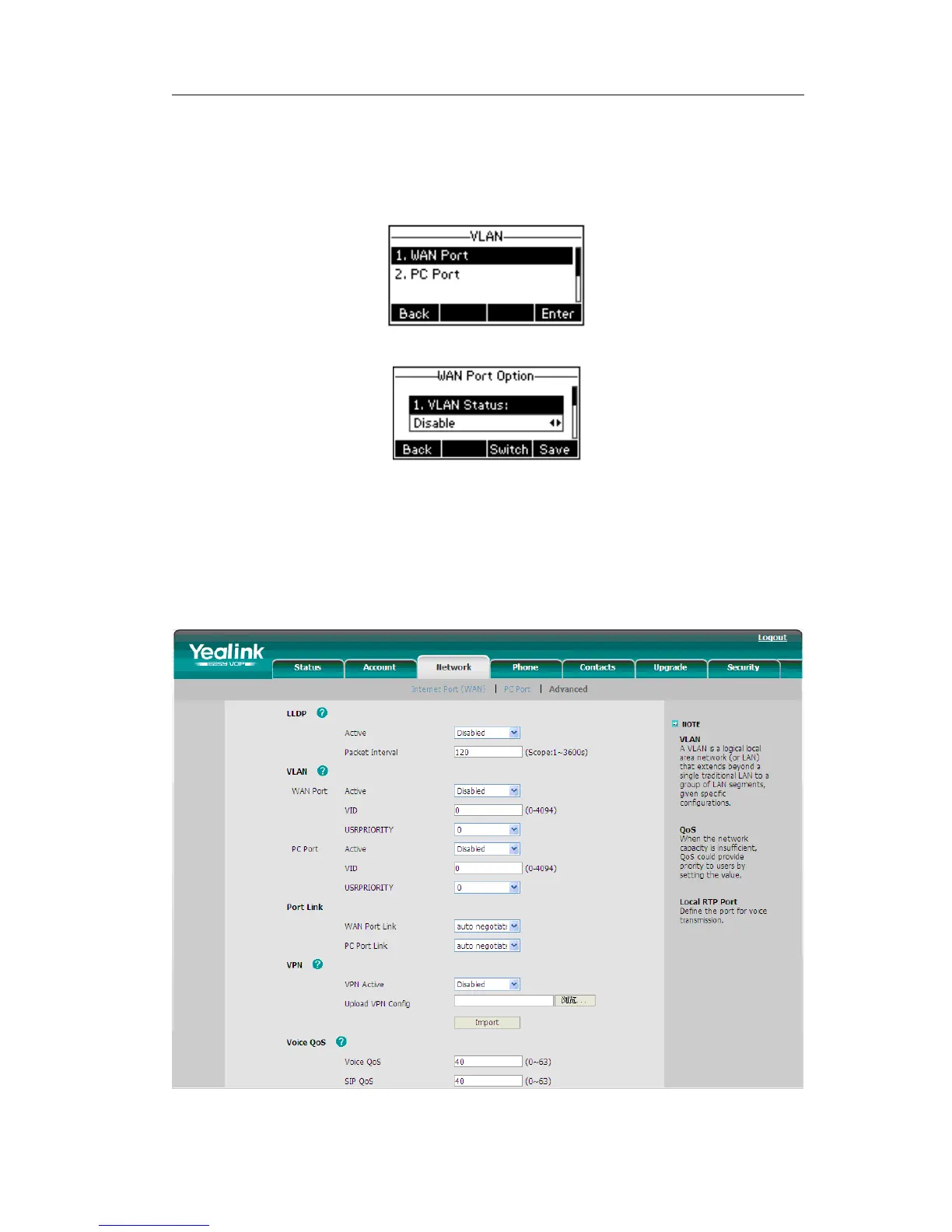
To configure VLAN settings via Phone interface:
1) Press Menu->Settings->Advanced Settings.
2) Enter the password required, scroll to Network option, then press Enter hot key,
select VLAN and press Enter hot key.
3) Choose WAN Port, press Enter hot key.
4) Set the VLAN Status, and input the VID Number, Priority.
5) Press Save hot key to save the settings, or Back hot key to return to VLAN menu.
6) Follow the same way to set the PC Port option.
To configure VLAN settings via Web interface:
Choose Network->Advanced to do the relating configuration. You can consult your
system administrator for more information.



 To Next Page