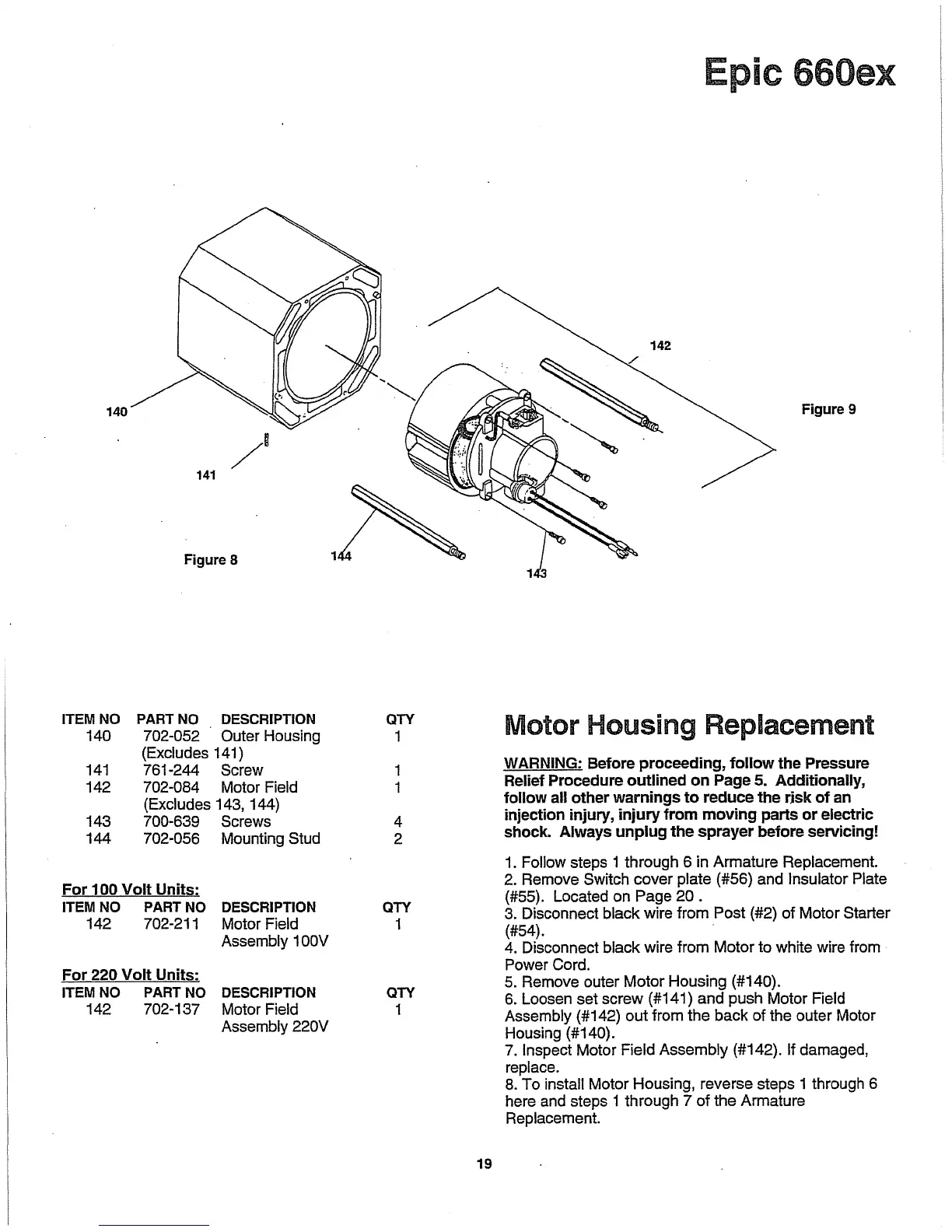
140
141
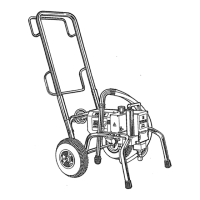
Figure 8
ITEM
NO
PART NO DESCRIPTION
140 702-052 Outer Housing
(Excludes 141)
141
761-244 Screw
142 702-084 Motor Field
(Excludes 143, 144)
143
700-639 Screws
144 702-056 Mounting Stud
For
100
Volt
Units:
ITEM NO PART
NO
DESCRIPTION
142 702-211 Motor Field
Assembly 1
OOV
For
220
Volt
Units:
ITEM NO PART NO DESCRIPTION
142 702-137 Motor Field
Assembly
220V
1
QTY
1
1
1
4
2
QTY
1
QTY
1
19
Epic 660ex
Figure 9
Motor Housing Replacement
WARNING: Before proceeding,
follow
the Pressure
Relief Procedure
outlined
on
Page 5. Additionally,
follow
all other
warnings
to
reduce
the
rjsk
of
an
injection injury,
injury
from
moving
parts
or
eiE::~ric
shock. Always
unplug
the
sprayer before serv1cmg!
1.
Follow steps 1 through 6 in Armature Replacement.
2. Remove Switch cover plate (#56) and
Insulator Plate
(#55). Located on Page
20.
3.
Disconnect black wire from Post (#2) of Motor Starter
(#54).
.
4.
Disconnect black wire from Motor to white wire from
Power Cord.
5.
Remove outer Motor Housing (#140).
6.
Loosen set screw (#141) and push Motor Field
Assembly (#142) out from the back of the outer Motor
Housing (#140).
7.
Inspect Motor Field Assembly (#142). If damaged,
replace.
8.
To install Motor Housing, reverse steps 1 through 6
here and steps 1 through 7 of the Armature
Replacement.


 To Next Page