English
12
Spraying Troubleshooting - Cleaning the Spray Gun Filter
The screen at the bottom of the suction tube may also need cleaning. Check it every time you change spray containers.
The lter must be cleaned every time you use your sprayer. When using thicker spray materials, the lter might need to
be cleaned more often.
NOTE - the LX60 threads are left-handed. Turn the lter
clockwise to remove, and counterclockwise to replace.
1. Perform Pressure Relief Procedure, page 7.
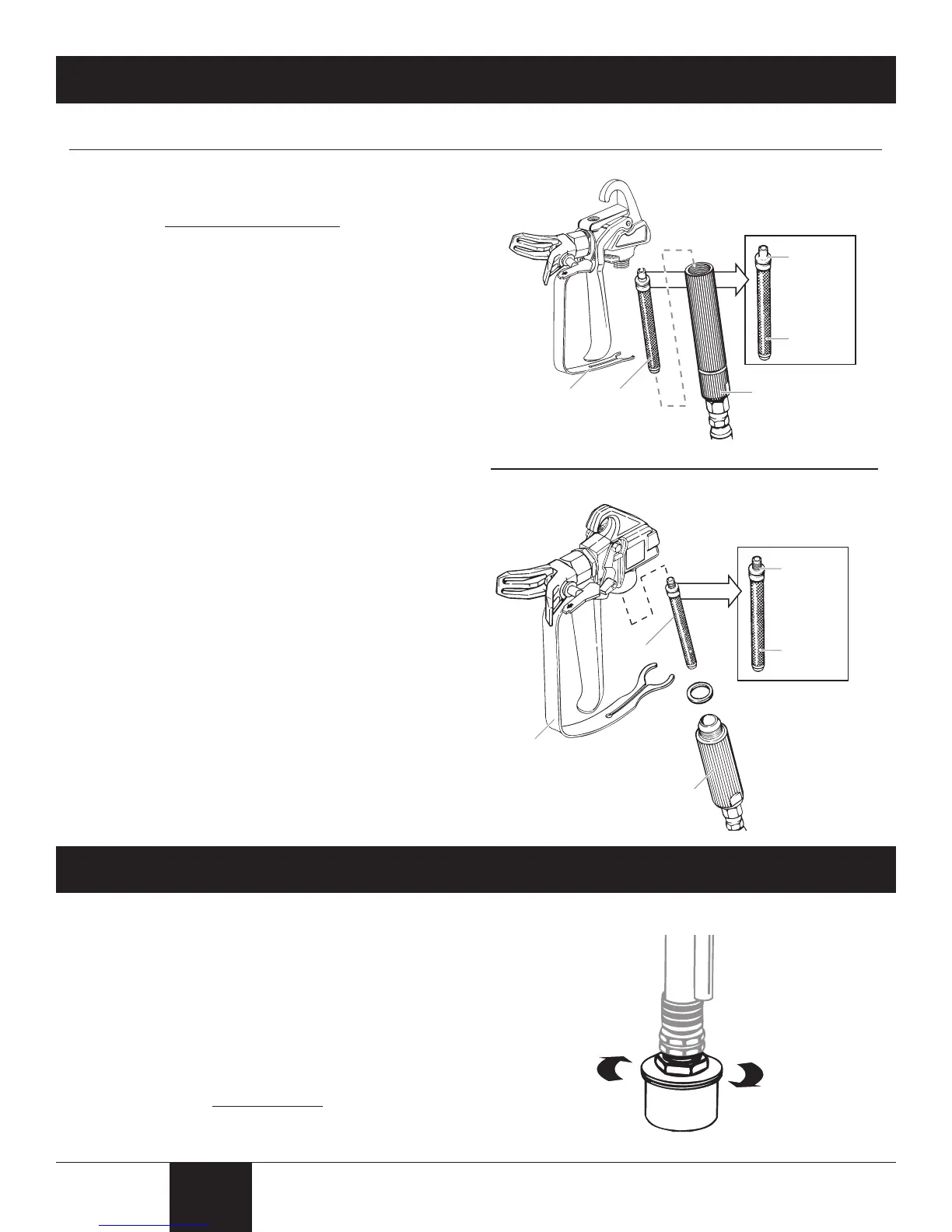
2. Unclip the trigger guard from the lter housing by pulling
outward from the lter housing. Unscrew the lter
housing.
3. Remove the lter from the spray gun housing and clean
with the appropriate cleaning solution (warm, soapy
water for latex paints, mineral spirits for oil-based
materials). For spray gun model LX60, the lter will
need to be unscrewed from the gun housing (turn
clockwise).
4. Inspect the lter for holes (see inset, right). Replace if
holes are found.
NOTE - NEVER POKE THE FILTER WITH A SHARP
INSTRUMENT!
5a. Model XT-05 - Replace the cleaned lter, tapered
end rst, into the gun housing. The tapered end of
the lter must be loaded properly into the gun.
Improper assembly will result in a plugged tip or no
ow from the gun.
5b. Model LX60 - Screw the tapered end of the lter into the
gun housing (turn counterclockwise to tigthen).
6. Reassemble the spray gun.
Ta pered
end
(filter top)
Hole
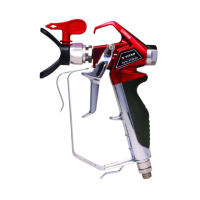
Spray gun
model XT-05
Spray gun
model LX60
Filter
housing
Trigger
guard
Filter
Threaded
end
(filter top)
Hole
Trigger
guard
Filter
Filter
housing
Spraying Troubleshooting - Cleaning the Inlet Filter
1. Remove the lter by unscrewing it from the suction tube.
Clean the lter with the appropriate cleaning solution
(warm, soapy water for latex materials, mineral spirits for
oil-based materials).
2. Thread the lter back into place.
If after completing all of the steps in Spraying
Troubleshooting you are still experiencing problems
spraying, refer to the Troubleshooting section (page 22).


 To Next Page