Hardware Version : 5.02 Document Version : 1.0.
TECHMAN ROBOT INC. 5F., No. 58-2, Huaya 2nd Rd., Guishan Dist., Taoyuan City, 333411 , Taiwan
41
Refer to "Open the Control Box Outer Casing" to open the outer casing cover and inner casing cover
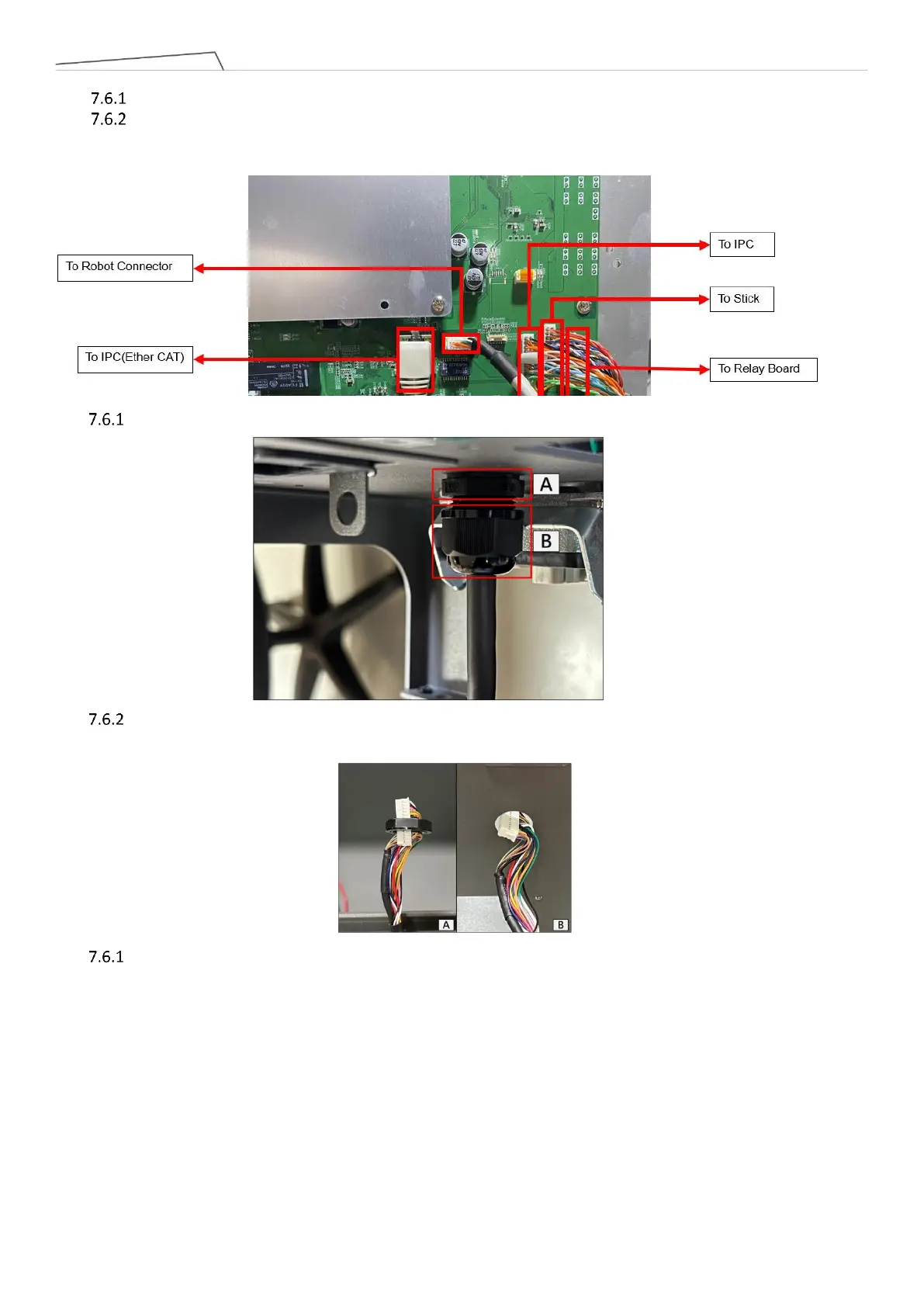
Refer to the diagram below to remove the Stick connector, and if necessary, cut cable ties:
Refer to the diagram to sequentially loosen Stick securing nut A and wire securing nut B:
Refer to the diagram to gently bend the Stick connector slightly, and sequentially thread it through the
Stick securing nut (Figure A) and the control box (Figure B) to remove the Stick.
During installation, follow the reverse steps of the above procedure. If cable ties were cut, secure the wires
again in the original manner



 To Next Page