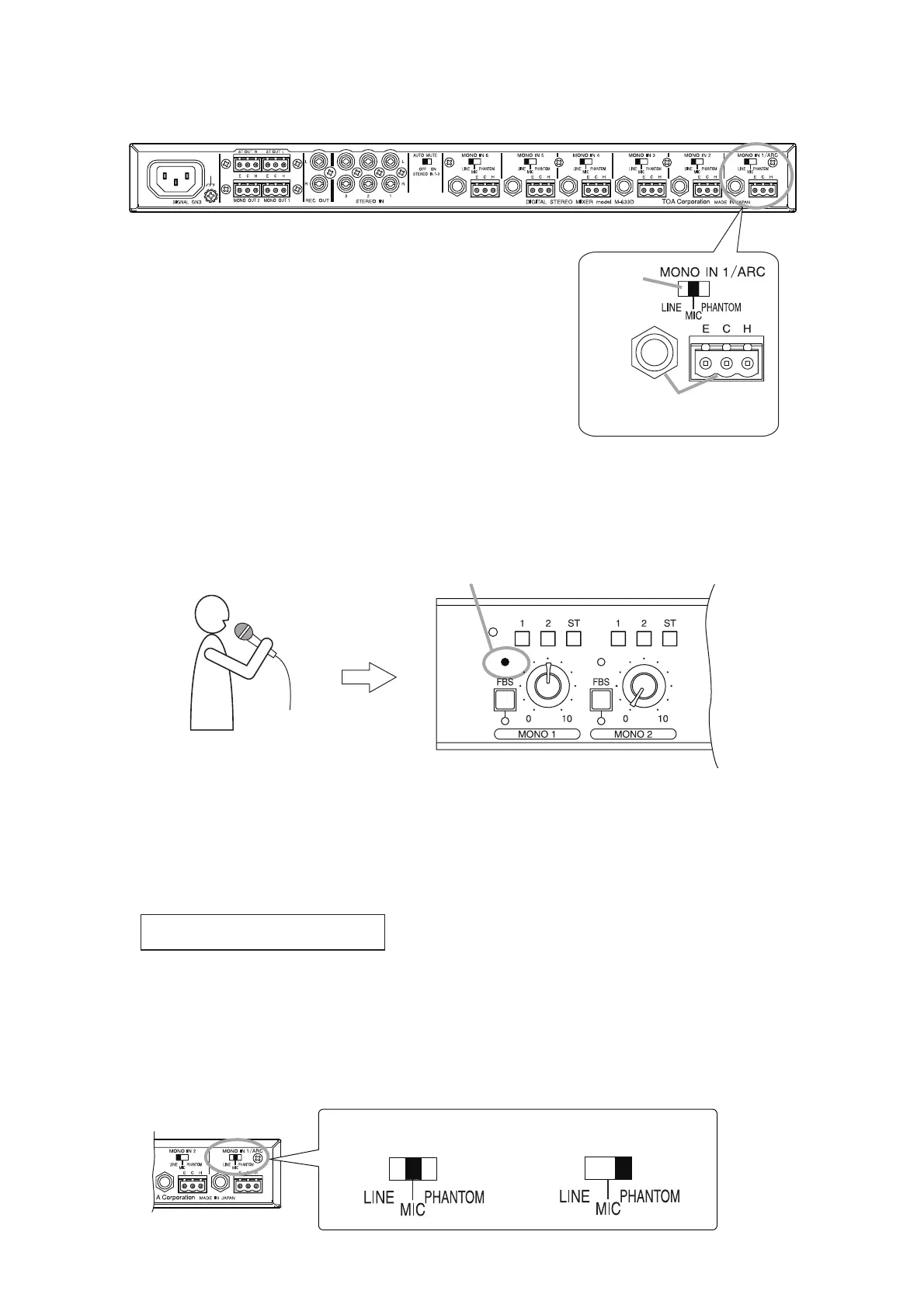
Step 2. Connect a measuring microphone.
The microphone for normal use can be used.
2-1. Connect the microphone to the phone jack or removable
terminal block of MONO IN 1/ARC on the rear panel.
2-2. Set the input sensitivity selector switch to the appropriate
position depending on the microphone to be connected.
Dynamic microphone: MIC
Phantom powered condenser microphone: PHANTOM
Wireless tuner output (Line level): LINE
Step 3. Check to see if the microphone works correctly.
3-1. Speak into the microphone.
Confirm that the MONO 1’s input level indicator lights green.
Notes
• Hold the microphone about 7 cm (3") from the mouth. Speak at a normal voice level.
• Sound is not output from the speakers at this stage as the unit's output level control knobs are
turned fully counterclockwise.
3-2. Check to see the following settings if the input level indicator does not light green.
Input signal is too small.
• Check that the microphone switch is turned ON.
• Check that the rear-mounted input sensitivity selector switch is placed in the correct position for the
microphone.



 To Next Page