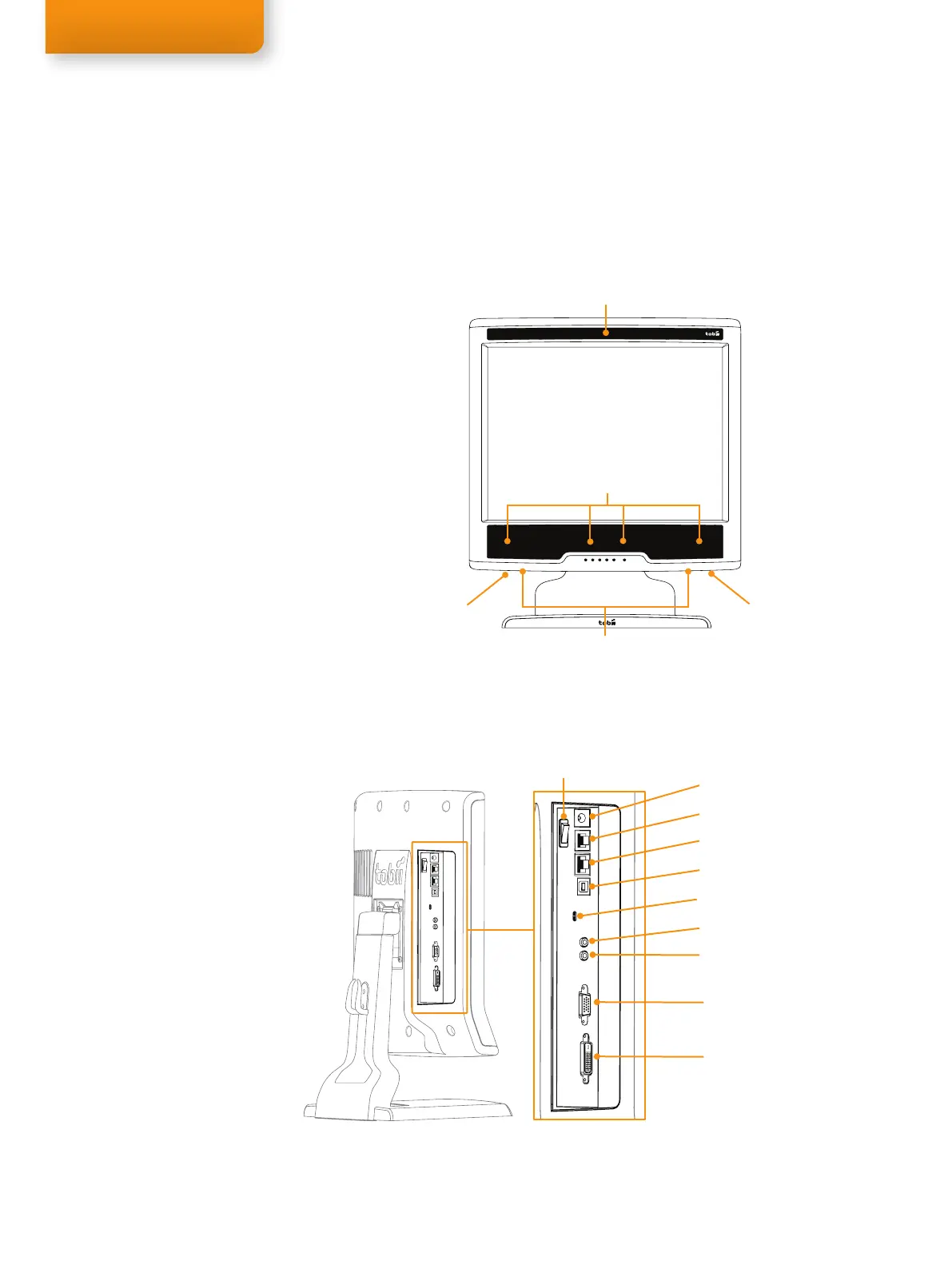
Rear left side panel - Power and connectors
The system power switch and connectors can be found at the rear-left side panel of the eye tracker.
VGA connector
DVI connector
Parts and Controls
Front display
The Tobii T60 and T120 Eye Trackers have a built in user camera and speakers, located respectively
at the front and bottom of the monitor. The power plug and power switch are found behind the eye
tracker together with the remaining network and screen connectors. The monitor control buttons are
situated at the front of the monitor.
User camera
Eye tracking sensors and
illuminators
Speaker L
Ventilation
Power connector
Trigger (not in use)
LAN connector
USB connector (User camera)
Kensington lock
Audio out
Audio in connector (play a
sound through the speakers)
Tobii T60 or T120 Eye Tracker
Tobii T Series stand
Tobii T Series foot
Tobii Studio or Tobii T/X Series Eye
Trackers Resources CD
Tobii T60 and 120 Eye Tracker User
Manual
Power supply cable
DVI-D cable (2.0 m)
VGA cable (1.8 m)
Audio Cable (3.5 mm, 1.8 m)
LAN Cable (3.0 m)
USB Cable A/B
USB - LAN Adapter
T Series flight case
•
•
•
•
•
•
•
•
•
•
•
•
•
Equipment list
Speaker R
Power button



 To Next Page