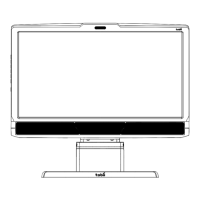
Tobii T60 and T120 Eye Tracker
3
•
•
•
•
•
•
•
•
•
•
•
•
•
•
•
•
•
•
•
•
•
•
•
•
•
•
•
•
•
•
•
•
Tobii T60 & T120 Eye Tracker User Manual
This document contains information proprietary to Tobii Technology AB . The contents are confidential and
any disclosure to persons other than officers, employees, agents or subcontractors of the owner or licensee
of this document, without the prior written consent of Tobii Technology AB, is strictly prohibited. No part of
this publication may be reproduced, stored in retrieval system, or transmitted in any form or by any means,
electronic or mechanical, including photocopying and recording, without the prior consent of the copyright
holder.
Manual Revision 4.0, January 2011
Tobii Technology AB reserves the right to change the content of this manual without prior notice. Changes due
to typographical errors, inaccuracies or modifications in programs and/or equipment might be implemented
at any time. Please check the Tobii web site www.tobii.com for updated versions of this document.
All rights reserved.
© Tobii Technology AB
Table of Contents
Quick Start .......................................................................................................................4
First time usage ...........................................................................................................................................4
Components checklist ............................................................................................................................4
Product Care ..................................................................................................................5
Assembling the Tobii T60/T120 ....................................................................... 7
Connecting Tobii Eye Tracker .............................................................................. 8
Setting up the connection to your computer .....................................................................8
Installing the USB Ethernet Adapter ........................................................................................8
Installing the USB User Camera Driver ......................................................................................8
Installing eye tracker software ............................................................................................................8
Setting up the network connection to the eye tracker in Windows ................ 9
Connecting to the eye tracker in Tobii Studio ....................................................................11
Connecting to the eye tracker in ClearView or Tobii SDK ......................................11
Setting the IP address in ClearView ...........................................................................................12
Configuration and settings .....................................................................................13
General setup guidelines ......................................................................................................................13
Setup examples .............................................................................................................................................13
Minimum system recommendations ...........................................................................................15
Parts and Controls .......................................................................................................16
Front display ......................................................................................................................................................16
Rear left side panel - power and connectors......................................................................16
Screen settings buttons .........................................................................................................................17
Customizing the Eye Tracker’s Display ...........................................................18
Appendix I: Eye Tracker Upgrade .......................................................................21
Eye tracker software upgrade ..........................................................................................................21
Appendix II: Troubleshooting Guide .................................................................22
Problems with the Apple Bonjour Service .............................................................................22
Problems with the peer-to-peer network configuration ............................................23
Appendix III: Technical Specifications ............................................................24
Tobii T Series Eye Tracker ....................................................................................................................24
Glossary - technical specifications ...............................................................................................25
Eye tracker data output ..........................................................................................................................26



 To Next Page