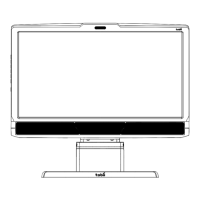
Tobii T60 and T120 Eye Tracker
23
The Apple Bonjour Service cannot be started.
Most likely the service is blocked by an anti-virus software or Group Policy. Check any Group Policies
and anti-virus software installed (not only running) on the computer. If you do not know how to do this,
please contact your IT administrator as the procedure differs between security applications.
The Apple Bonjour Service is up and running but there is still no connection.
Check that the port Apple Bonjour Service uses to scan the network is not blocked by any firewall.
It uses UDP port 5353. If you need help in doing this, please contact your IT administrator as the
procedure for doing this differs between security applications.
If none of the above works.
If the computer is not connected to the Internet and Skype is running, Skype will flood all network
connections in attempts to connect to the Skype servers. This can cause problems with the eye tracker
connection. Turn off Skype.
The eye tracker takes a long time to start tracking.
If the eye tracker shows a delay of 10-30 seconds when showing the track status, starting a calibration
or starting a recording, try to upgrade the Apple Bonjour Service to its most recent version (see point 1).
Using an outdated version of the Apple Bonjour Services may cause slow connection problems.
Problems with the peer-to-peer network configuration
When the eye tracker is connected directly to the test computer it uses a network connection with a
DHCP server.
Check if the network card is set to obtain an IP address automatically (read pages 9-11 of this
manual).
3.
4.
5.
6.



 To Next Page