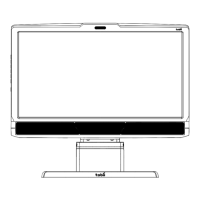
Tobii T60 and T120 Eye Tracker
27
GazePointX Gaze PointX can be the horizontal screen position for either eye or the average for both eyes. The
value to show here is specified in Tobii Studio. This value is also used for the fixation definition.
GazePointY GazePointY can be the horizontal screen position for either eye or the average for both eyes. The
value to show here is specified in Tobii Studio. This value is also used for the fixation definition.
Event Events, automatic and logged, will show up under Events. The automatic events are start and end
events for the different media, mouse clicks and key presses. The automatic events are listed in the
event table under Event Key and Data. The logged events are the manually logged events entered
either in the replay view or from the remote logger
EventKey Unique event key is shown for different key presses.
Data1 Data field for the event. The contents of this field vary depending on what type of event this is.
Data2 Data field for the event. The contents of this field vary depending on what type of event this is.
Descriptor Description of the event. The contents vary depending on what type of event this is.
StimuliName The file name of the media given in the setup in Tobii Studio
MediaWidth Media size in pixels
MediaHeight Media size in pixels
MediaPosX Distance from the left side of the screen to the media on the screen given in pixels
MediaPosY Distance from the top of the screen to the media on the screen given in pixels
MappedFixationPointX X coordinate for the fixation point mapped to the media coordinate system, where the origin for the
coordinate system is the top left corner of the image/media
MappedFixationPointY Y coordinate for the fixation point mapped to the media coordinate system, where the origin for the
coordinate system is the top left corner of the image/media
FixationDuration Fixation duration. The time in milliseconds that a fixation lasts
AoiIds ID number for the AOI, usually a counter starting at zero for the first AOI
AoiNames Name of the AOI or AOIs if fixations on multiple AOIs are to be written on the same row
WebGroupImage Filename of the image file that is used to visualize the web group
MappedGazeDataPointX X coordinate for the raw gaze data point mapped to the media coordinate system where the origin for
the coordinate system is the top left corner of the image/media
MappedGazeDataPointY Y coordinate for the raw gaze data point mapped to the media coordinate system where the origin for
the coordinate system is the top left corner of the image/media
MicroSecondTimestamp Timestamp for this export row in microseconds
ValidityCodes Validity code for each data point. This code is is based on whether the system is able to identify
correctly both eyes. It is recommended that the validity codes should always be used for data filtering,
to remove data points that are obviously incorrect.
Additional data available in the Tobii Studio Raw Data Export
DateTimeStamp Timestamp recalculated using the computer date time, shown in hours, minutes, seconds and
milliseconds (hh:mm:ss:ms)
DateTimeStampStartOffset Timestamp converted into hh:mm:ss format. The start time for the recording is also shown in the
Replay and Visualization views in Tobii Studio if the option Show Date is selected in the Recordings
field.
Number Timestamps in numbered order
FixationIndex Indexes for the fixation points (values correspond to the order of the fixation).



 To Next Page