Front Panel User Guide Page 16
5 Full Command Menu – Visual Examples
5.1 Menu Hierarchy
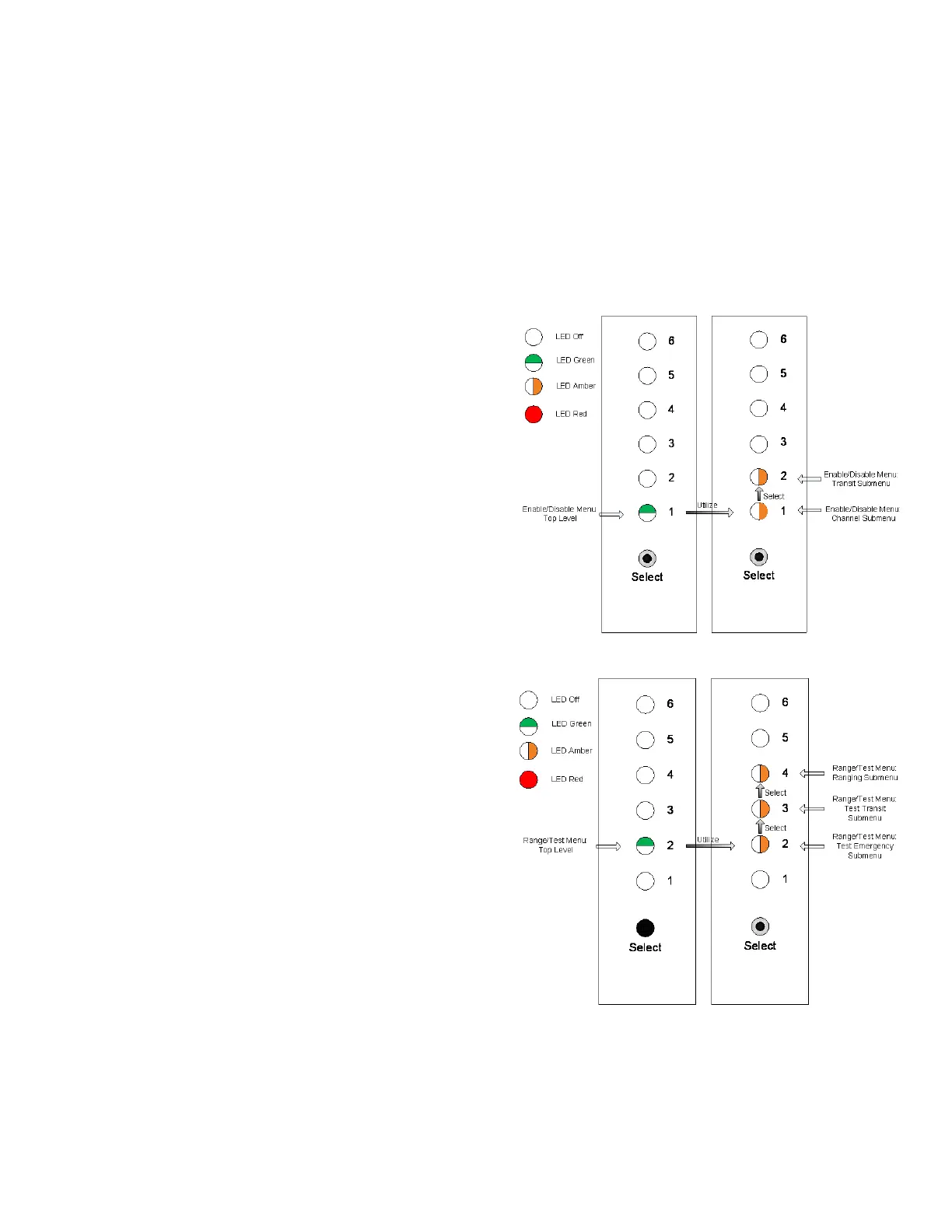
The following figures depict the relationship between the top level menu and its submenu items.
When entering the enable or disable menu from the
channel 1 LED, the available submenu items are on
channel 1 and 2 LEDs.
When entering the range and test menu from the
channel 2 LED, the available submenu items are on
channel 2, 3, and 4 LEDs.



 To Next Page