Front Panel User Guide Page 18
5.4 Arming the Range Process on Channel 2
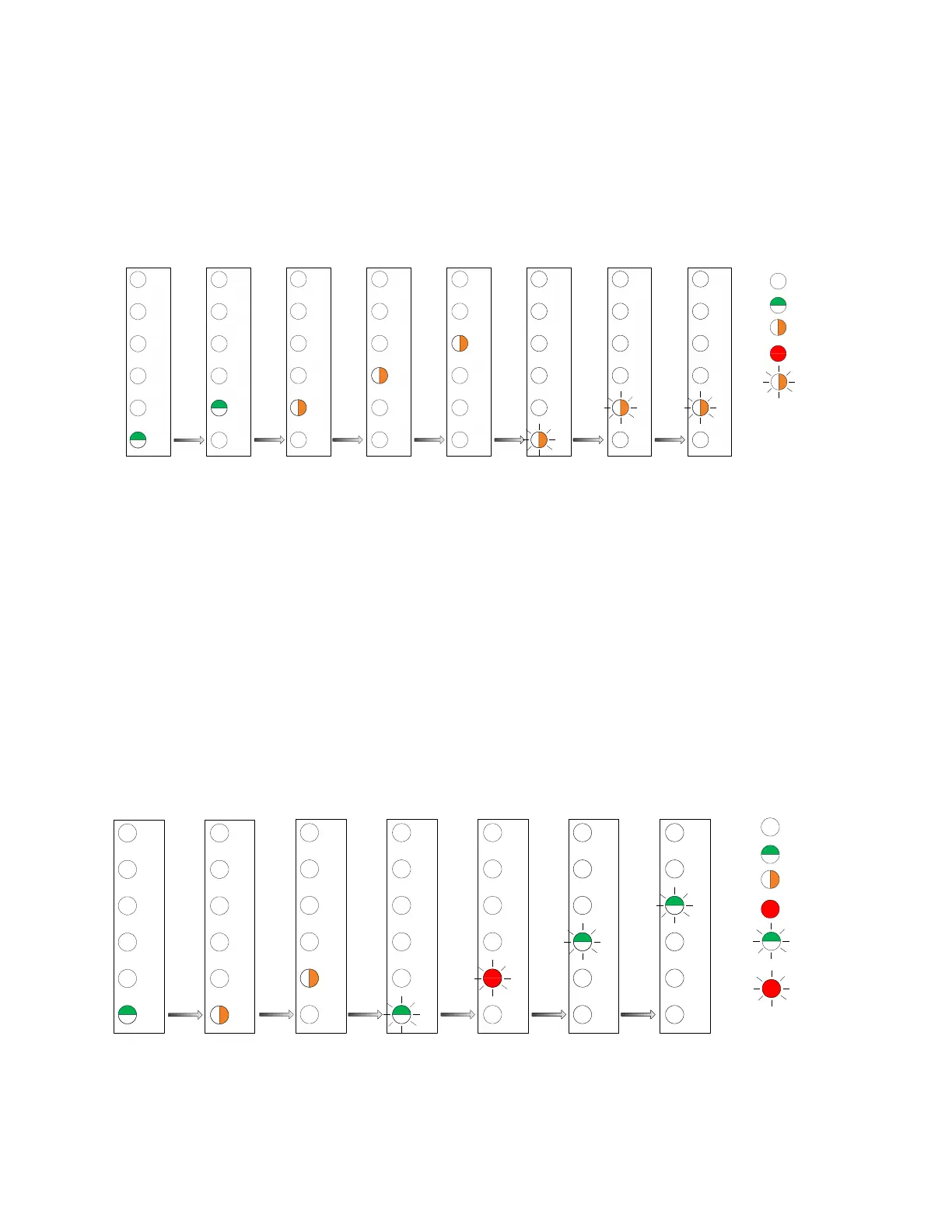
The figure below shows a view of the front panel after each button action. In this example, ranging is
armed on channel 2. During the channel selection process, the LED flashes amber at a slow rate. When
ranging is armed on a channel (via the activate action), the LED flashes amber at a fast rate.
Enable/Disable Menu:
Top Level
4
5
3
2
6
1
4
5
3
2
6
1
4
5
3
2
6
1
4
5
3
2
6
1
4
5
3
2
6
1
Select
Utilize Select Select
4
5
3
2
6
1
4
5
3
2
6
1
4
5
3
2
6
1
Select ActivateUtilize
LED Off
LED Green
LED Amber
LED Red
Range/Test Menu:
Top Level
Range/Test Menu:
Test Emergency
Submenu
Range/Test Menu:
Test Transit Submenu
Range/Test Menu:
Ranging Submenu
Range/Test Menu:
Channel 1 Selected
Range/Test Menu:
Channel 2 Selected
Range/Test Menu:
Ranging Armed on
Channel 2
LED Amber
Flashing
Note: Ranging is armed for 10 minutes. An activation press may be issued to abort the ranging process.
5.5 Determining Which Channels Have Transit Band Disabled
The front panel provides no indication of which channels may have transit band disabled. In order to
determine which, if any, channels have transit disabled the full menu must be used. The process is
similar to enabling or disabling transit for a channel with the exception being the command is not
activated. The process is simply run to the channel selection stage to determine the status. Once the
status for each channel has been determined, the user may simply wait 30 seconds to allow the menu to
reset to the idle state.
4
5
3
2
6
1
4
5
3
2
6
1
4
5
3
2
6
1
4
5
3
2
6
1
4
5
3
2
6
1
Utilize
Select Utilize Select
4
5
3
2
6
1
4
5
3
2
6
1
SelectSelect
LED Off
LED Green
LED Amber
LED Red
Enable/Disable Menu:
Channel Submenu
Enable/Disable Menu:
Transit Submenu
Enable/Disable Menu:
Channel 1 Selected
Transit Enabled
LED Green
Flashing
LED Red
Flashing
Enable/Disable Menu:
Channel 2 Selected
Transit Disabled
Enable/Disable Menu:
Channel 3 Selected
Transit Enabled
Enable/Disable Menu:
Channel 4 Selected
Transit Enabled



 To Previous Page