Front Panel User Guide Page 13
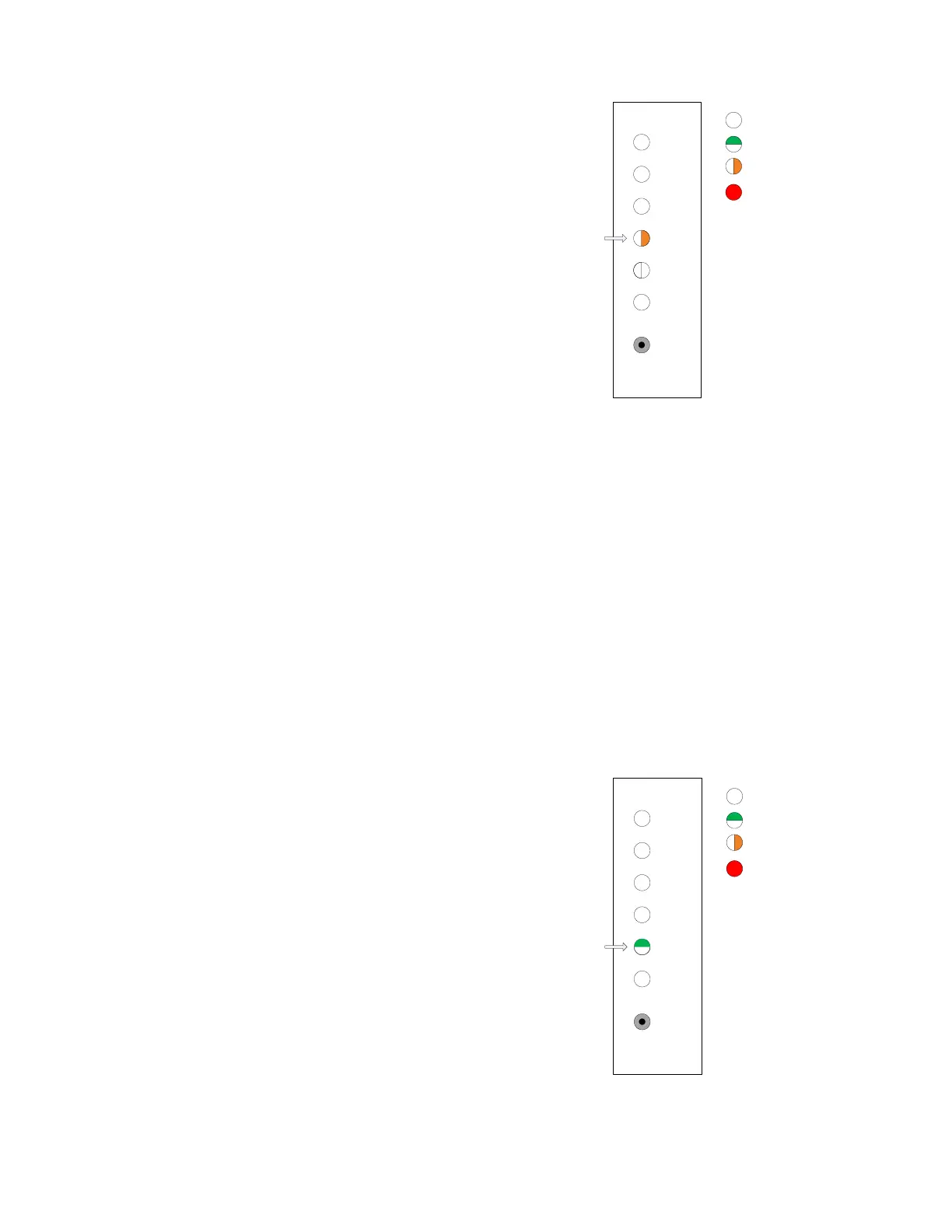
3. Select the transit band test submenu command.
Issue a selection press on the pushbutton (< 2 s).
The front panel indicates that the submenu item
for transit band test has been selected.
4. Utilize the transit band test command. Issue a utilize press on the pushbutton (> 2 s). Release
the button after the LED changes. The channel selection process is entered with channel 1
selected.
5. Select the desired channel on which to apply the transit band test command. Issue selection
presses until the desired channel is indicated.
6. Activate the command on the selected channel. Issue an activation press on the pushbutton (>
4 s). The LED for this channel will turn blinking green when preemption is requested.
2.5 Ranging and Test Menu: Ranging
This command will arm the ranging process for a channel.
1. Select the Ranging and Test menu item. Issue a
selection press on the pushbutton twice. The
panel indicates that the top level menu item for
ranging and test has been selected.
4
5
3
2
6
1
Select
LED Off
LED Green
LED Amber
LED Red
Test/Range Menu:
Test Transit Band
Submenu
4
5
3
2
6
1
Select
LED Off
LED Green
LED Amber
LED Red
Test/Range Menu:
Top Level



 To Next Page