14
8. Your navigation device asks if you need to arrive at a particular time. For this
exercise, tap NO.
The route is calculated by your device using IQ Routes
TM
.
IQ Routes is used to plan the best possible route using information about
the average speeds measured on the roads.
When the route has been calculated, tap Done.
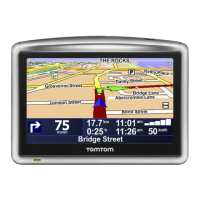
Your Blue&Me-TomTom navigation device begins to guide you to your desti-
nation.
Route summary
After planning a route, you see a summary of your route.
The route summary shows an overview map of your route and the total jour-
ney time including delays caused by both incidents and busy roads.
You can see the route summary at any time by tapping the right side of the
status bar.
Using your voice to plan a route
Instead of tapping the screen to plan a route, you can use your voice to plan a
route.
For information about the different ways you can plan a route using your
voice, see Voice command and control.
Frequent destinations
If you often make trips to the same destinations, you can set your device to
ask if you want to plan a route to one of these locations every time the device
starts. This is faster than planning a route in the normal way.
To select a new destination, tap Start-up preferences in the Preferences menu
then select Ask for a destination. You are asked if you want to select a new
destination and you then need to answer a few questions about the location.



 To Next Page
 Loading...