Sounds and voices14.
34
Sounds and voices
Your Blue&Me-TomTom plays the following kinds of sound:
• Spoken instructions
• Hands-free calls
• Warnings
Changing the volume level
You can change the volume in three ways:
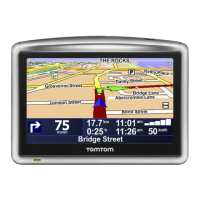
• Tap the bottom left hand area of the Driving View. The last spoken instruc-
tion is repeated and the volume level is shown.
Move the volume slider to adjust the volume.
• In the Main Menu, tap Change preferences, then tap Volume preferences.
Tap Test to check your changes.
• You can set your Blue&Me-TomTom to change the volume automatically
depending on how noisy it is in the car.
Changing the volume automatically
Volume
preferences
Your Blue&Me-TomTom can change the volume automatically.
1. In the Main Menu, tap Change preferences.
2. Tap Volume preferences.
3. Select Link volume to noise level.
4. Tap Done.



 To Next Page
 Loading...