<
Parts identication
>
Please make sure that the following accessories are included with the optional printer.
Thermal printing paper × 1 roll
Holder × 1 piece
User guide × 1 piece
<
Accessories included
>
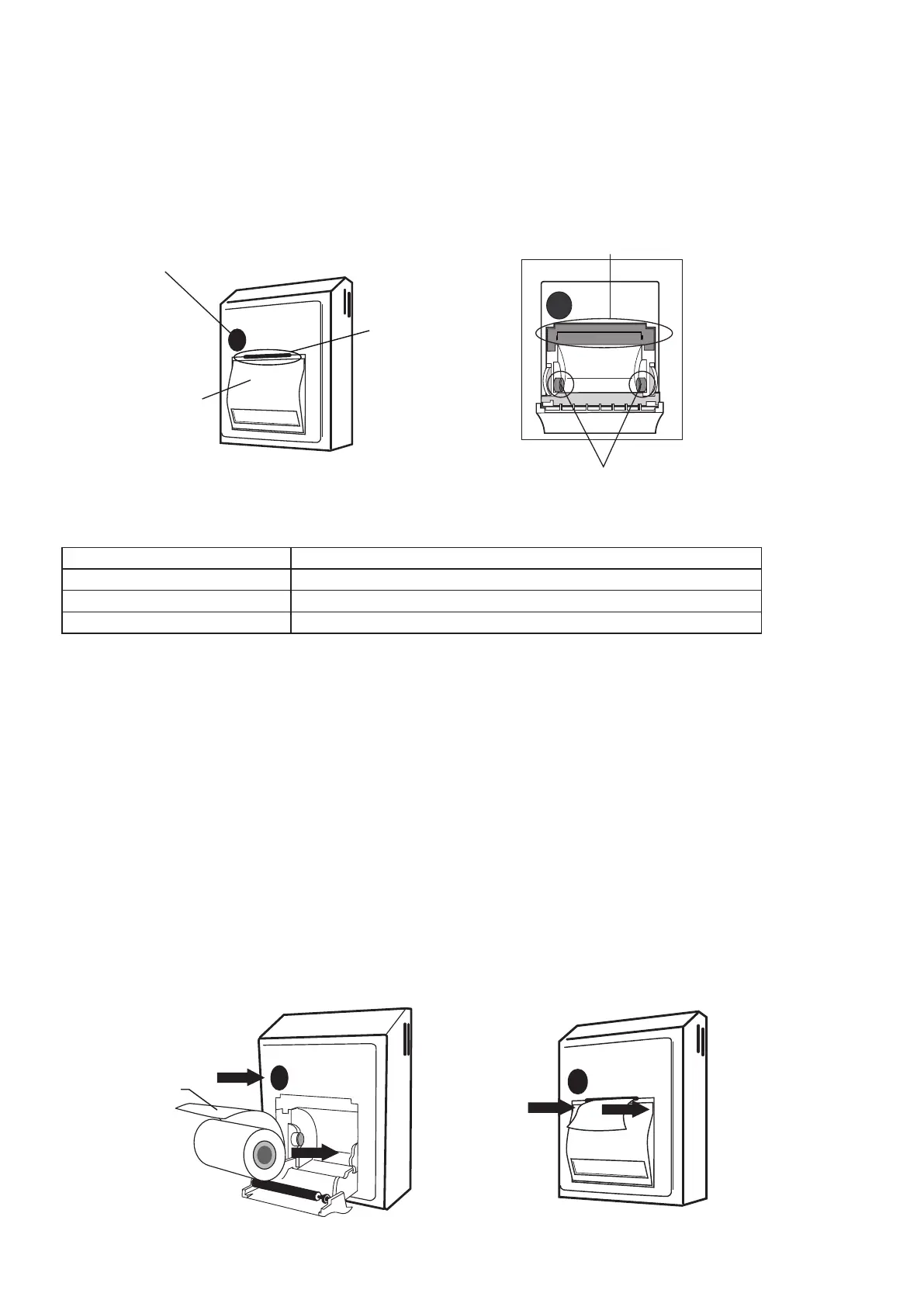
Paper cover open button
Paper cutter
Paper cover
Thermal head
Ball plunger
Paper Specications
<
To set the printing paper
>
Order Number 161745
Paper Breadth 58mm
Paper Roll Size Maximum roll diameter:
φ
50mm
Paper Roll Core Size Inside diameter:
φ
12mm, external diameter:
φ
18mm
※
If any thermal printing paper other than the specied is used, it can cause the deterioration in
print quality or the damage to the thermal head.
※
Do not attempt to print without the paper fed. It can damage the thermal print head and
may result in malfunction or failure.
※
Thermal printing paper specied in this manual is not a permanent, durable paper. It may
change color or a print can fade over time. To avoid loss of data, copies should be made for
ling in the record.
Open the paper cover by pressing the paper cover open button on the printer. Be careful not
to touch the paper cutter blade. It can cause injury of hand.
Set the roll paper into the printer in the direction shown in the illustration below. Please
conrm that the roll paper shaft is set properly in the ball plunger and the paper is positioned
horizontally.
Adjust the roll paper so that the top end of the paper comes out from the paper exit of the
printer. And close the paper cover by pressing both sides of the upper portion of the cover.
①
②
③
Setting the Paper in the Printer



 To Next Page