<
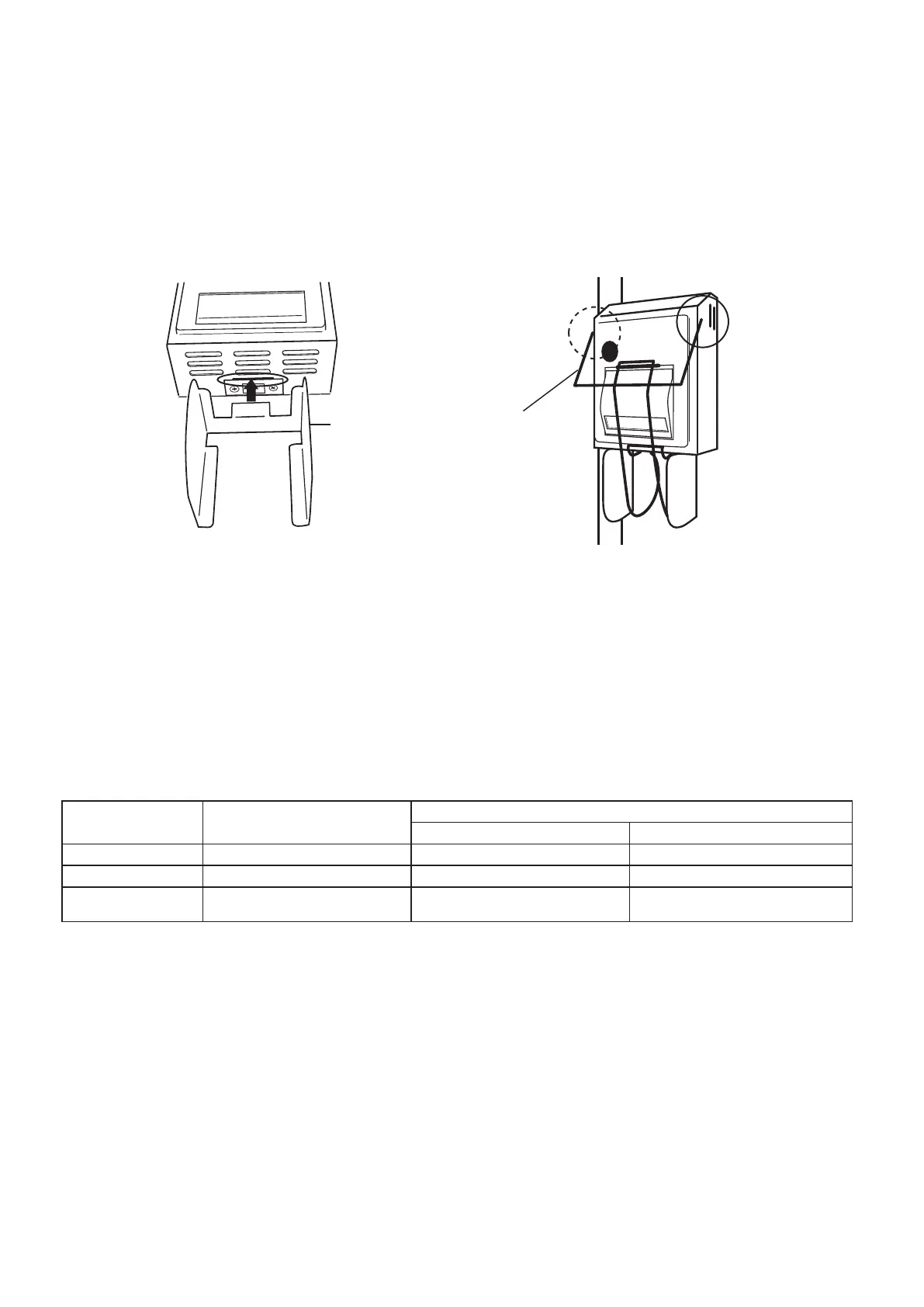
To set the print holder
>
Insert the guide into the cut area on the undersurface of the printer cover. The guide is
supported by magnetic force.
Insert the holder into the pinholes on either side of the printer cover. Do not apply excessive
force to the holder. It can put stress on the holder and deform it.
①
②
A holder and guide are installed on the printer for temporary storage and easy collection of
printed sheets of paper.
Press and hold down the FUNCTION key for approximately two seconds while the ready
lamp is illuminated. “F01” will start ashing in the temperature display.
Press the temperature setting up/down keys until the display reads “F06”. The time display
will show the code of the printer output mode.
Press the START key. The time display will start ashing.
Press the time setting up/down keys until the display shows the code of a desired output
mode. Select the code [1] to continuously print out data during operation. Select [2] to print
all data one at a time after completion of operation. Select [0] for no print out.
<
To set the printer output
>
①
②
③
④
Code Printer output mode
Contents
Printout operation Data storage
0 No output No printout Not stored
1 Output during operation Printout during operation Stored
2 Output after operation
Printout an entire print after
operation
Stored
Press the START key to set the printer output mode.
※
The factory default setting for the output mode is [2].
※
When the operation is started while setting the code to [1] or [2], data of the operating conditions
will be stored in the autoclave.
※
When the operation is started while setting the code to [1] or [2], data of the operating conditions
previously stored in the autoclave will get overwritten.
※
When the operation is started while setting the code to [1] or [2], data of the operating conditions
for up to 14 hours after start of the operation will be stored.
※
If the code is set to [2], sterilizing and heating times should be limited six hours. Select the code [1]
for printing over a long period of time.
⑤



 To Next Page