2-1
2 PREPARATION FOR MEASUREMENT
2 PREPARATION FOR MEASUREMENT
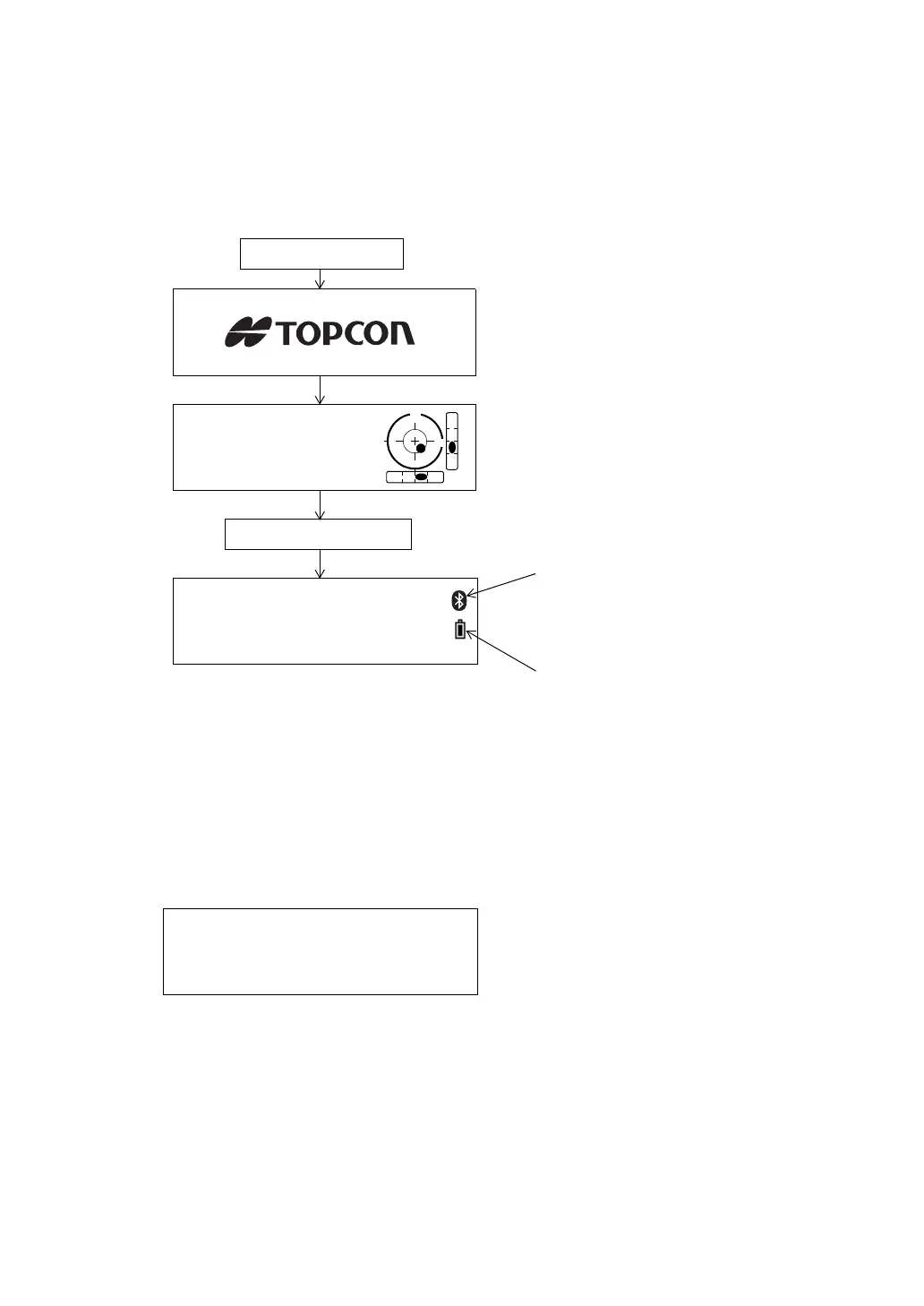
2.1 Power Switch Key ON
1 Confirm the instrument is leveled.
2 Press the power key.
• Confirm the battery power remaining display. Replace with charged battery or charge when battery
level is low or indicates “Battery empty”.
See Section 2.2 “Battery Power Remaining Display”.
Contrast adjustment
You can confirm prism constant value (PSM), non-prism constant value (NPM), sheet constant
value (SHT), atmospheric correction value (PPM) and you can also adjust the contrast of the
display when the instrument is turned on.
To display this screen, see Chapter 17 “SELECTING MODE”.
This enables you to adjust the brightness by pressing the {F1} (
↓
) or {F2} (
↑
) key.
To memorize the setting value after powering off, press {F4} (ENTER) key.
Press the power key
V : 90°10'20"
HR: 0°00'00"
0SET HOLD HSET P1
↓
Battery Power Remaining Display
Bluetooth is under communication.
(This symbol mark of the Bluetooth will
be displayed when the total station is in
the sate which can be communicated by
Bluetooth.)
Press the {F1} (EXIT) key
CONTRAST ADJUSTMENT
PSM: 0.0 PPM 0.0
NPM: 0.0 SHT: 0.0
↓
↑
- - - ENTER



 To Next Page