34
Vertical Beam Alignment
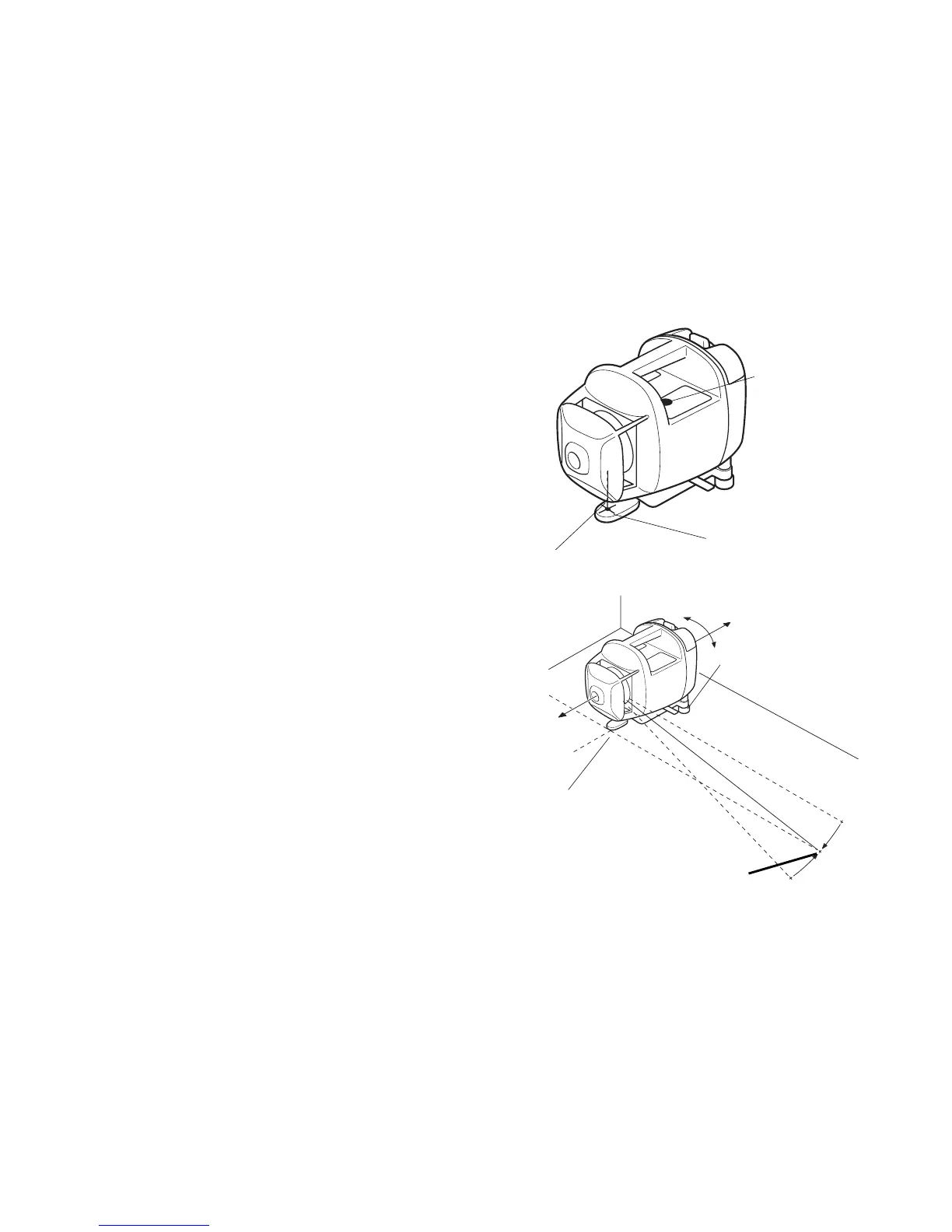
Vertical Set-Up: Plumb finder mode
Provides a plumb laser spot below the rotating head
to aid in laser set-up over an initial control point.
This mode is used only for vertical set-up.
1 Rotate forward foot out 180°, and center it on the
control point.
2 Use the leveling screws on the rear floor mounts
to bring the bubble to the center of the vertical
level vial.
3 Press the Power Control key to turn unit on.
When auto-leveling is complete, laser beam will
rotate.
4 Make sure the rotating head is straight using the
Manual Alignment mode.
5 Press Plumb beam key.
Confirm that the beam emits straight down cen-
tering on the laser beam indication lines of the
front floor mount.
6 Set the instrument to the Auto/manual line control
mode.(See page 35 ,40 )
Plumb beam
Laser beam indi-
cation line
Leveling screw
Control point
Control point
Vertical level
vial



 To Next Page