EasyManua.ls Logo

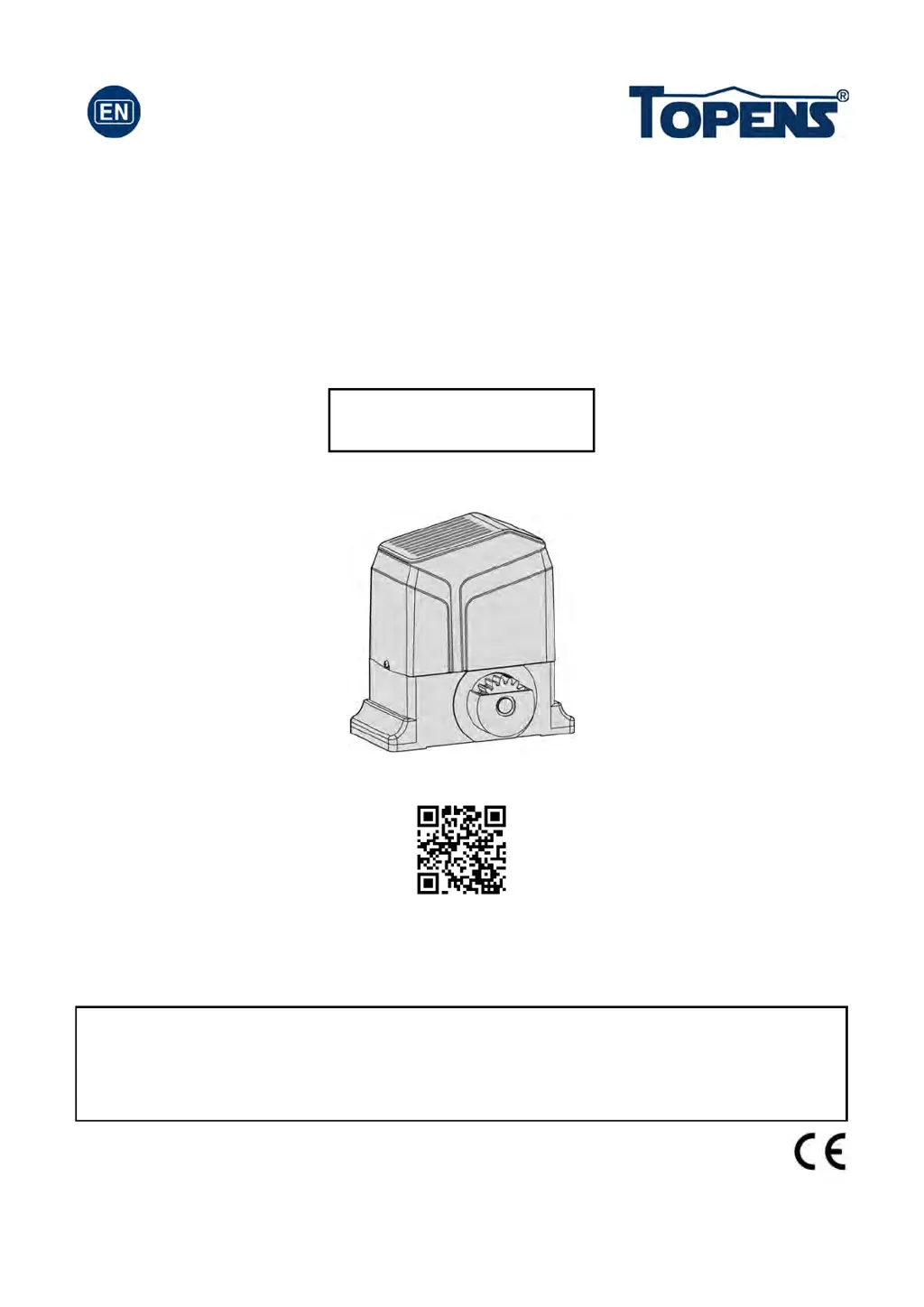
Topens RK1200 - User Manual

Topens RK1200
18 pages
Print Icon
To Next Page IconTo Next Page
Loading...
Sliding Gate Opener
User’s Manual
Model:
TOPENS Website
http://www.topenstool.com/
VER 20a
RK1200(T)
Please read and follow all warnings, precautions and instructions before
installation and use.
Periodic checks of the opener are required to ensure safe operation.
Save this manual.
C030462

Questions and Answers

  • M
    mullinsrebeccaJul 28, 2025
    Why Topens RK1200 remote control does not work?
    • W
      William RossJul 28, 2025
      If your Topens Gate Opener remote control isn't working, first check the remote's battery and replace it if needed. If the battery is fine, try using the remote closer to the opener. Also, ensure the remote is compatible with the receiver; if necessary, erase and reprogram the remote's codes. If problems persist, the control board may need to be checked and potentially replaced.
  • C
    Cynthia GutierrezJul 31, 2025
    Why Topens RK1200 Gate Opener gate opens, but stops and will not return?
    • A
      agreenJul 31, 2025
      If your Topens Gate Opener opens but then stops and won't return, check the magnet positions to ensure both limit switches aren't activated by a single magnet. Additionally, inspect the limit switch by disconnecting the wires connected to terminals 9#, 10#, and 11# on the control board and testing again. If the problem persists, the control board may need to be checked and replaced.
  • A
    Adam BlackAug 5, 2025
    What to do if Topens RK1200 Gate Opener gate can open, but fails to close?
    • J
      Justin LewisAug 5, 2025
      If your Topens Gate Opener gate can open but fails to close, check if the photocell is obstructed and remove any obstructions. You should also check the limit switch by removing the wire connection of the limit switch which is connected to the 9#, 10#, and 11# terminals of the control board and then try it again. If the issue persists, the control board may need to be checked and replaced.
  • F
    Felicia AyalaAug 9, 2025
    What to do if Topens Gate Opener gate starts but immediately stops?
    • L
      Larry SwansonAug 9, 2025
      If your Topens Gate Opener starts to open or close but then immediately stops or reverses, it could be due to the opening or closing force being set too low. Try adjusting Potentiometer A&B to increase the force. Also, disconnect the gate from the opener to ensure it slides freely. If neither of these steps resolves the issue, the control board might need to be checked and replaced.
  • L
    larsonedwardAug 14, 2025
    What to do if Topens RK1200 Gate Opener does not run but the power LED is ON?
    • L
      Laura CarterAug 14, 2025
      If your Topens Gate Opener does not run and the Power LED is ON, ensure the remote control has been properly programmed to the control board. If the motor has been working for a long time, the thermal protector may be active due to high temperature; wait 20 minutes for the motor to cool down. Check the installation position of the magnets, ensuring both limit switches aren't activated by one magnet. You can also check the limit switch by removing the wire connections to terminals 9#, 10#, and 11# on the control board and trying again. If none of these steps work, the control board may need to be checked and replaced.
  • W
    William WhiteAug 17, 2025
    How to troubleshoot Topens RK1200 when it doesn't run and the power LED is off?
    • A
      Aaron WeaverAug 17, 2025
      If your Topens Gate Opener does not run and the power LED is off, check the input voltage to ensure it matches your local AC electricity. Make sure the power switch is turned ON. Inspect the fuse on the control board and replace it if it's burnt out. If these steps don't resolve the issue, the control board itself may need to be checked and replaced.
  • D
    dgonzalezAug 22, 2025
    What to check if Topens Gate Opener motor runs but the gate doesn’t move?
    • N
      Nicole LewisAug 22, 2025
      If the motor of your Topens Gate Opener is running but the gate isn’t moving, make sure the clutch for emergency release is properly adjusted and not slipping.

Summary

General Safety

Technical Specifications and Features

Product Specifications

Detailed technical specifications of the RK1200(T) gate opener.

Installation of the Opener

Installing Limit Switches and Magnets

Magnet Positioning

Guides on how to position limit switch magnets for accurate open/close points.

Limit Switch Installation Warning

Warning about improper magnet installation causing gate crash.

Connecting the Control Board

Power Switch Safety

Ensure the power switch is OFF before making wiring connections.

Setting the Control Board

Control Board Setup Warning

Warning to keep power off and be aware of risks during control board adjustments.

DIP Switch Configuration

Guide to setting DIP switches for midway mode, auto-close, and direction.

Potentiometer Adjustments

Instructions for adjusting OPEN and CLOSE stall force using potentiometers.

Photocell Safety for Stall Force

Recommends photocell installation for safety when setting maximum stall force.

Programming and Erasing Remotes

Remote Programming Procedure

Step-by-step guide to program a new remote control to the opener.

Remote Code Erasure

Procedure to erase all previously programmed remote codes for security.

Troubleshooting

Opener Not Running (Power LED OFF)

Solutions for when the opener does not run and the power LED is off.

Opener Not Running (Power LED ON)

Solutions for when the opener does not run but the power LED is on.

Maintenance

Topens RK1200 Specifications

General IconGeneral
Control TypeRemote Control
Weather ResistanceYes
Waterproof LevelIP44
Manual ReleaseYes
Warranty12 months
Max Gate Length40 ft (12 m)
Operating Temperature-4°F to 122°F (-20°C to 50°C)
Safety FeaturesObstacle detection, auto-stop
Power Supply110-120V AC, 60Hz
Voltage110-120V AC

Related product manuals