OPERATION MANUAL
19
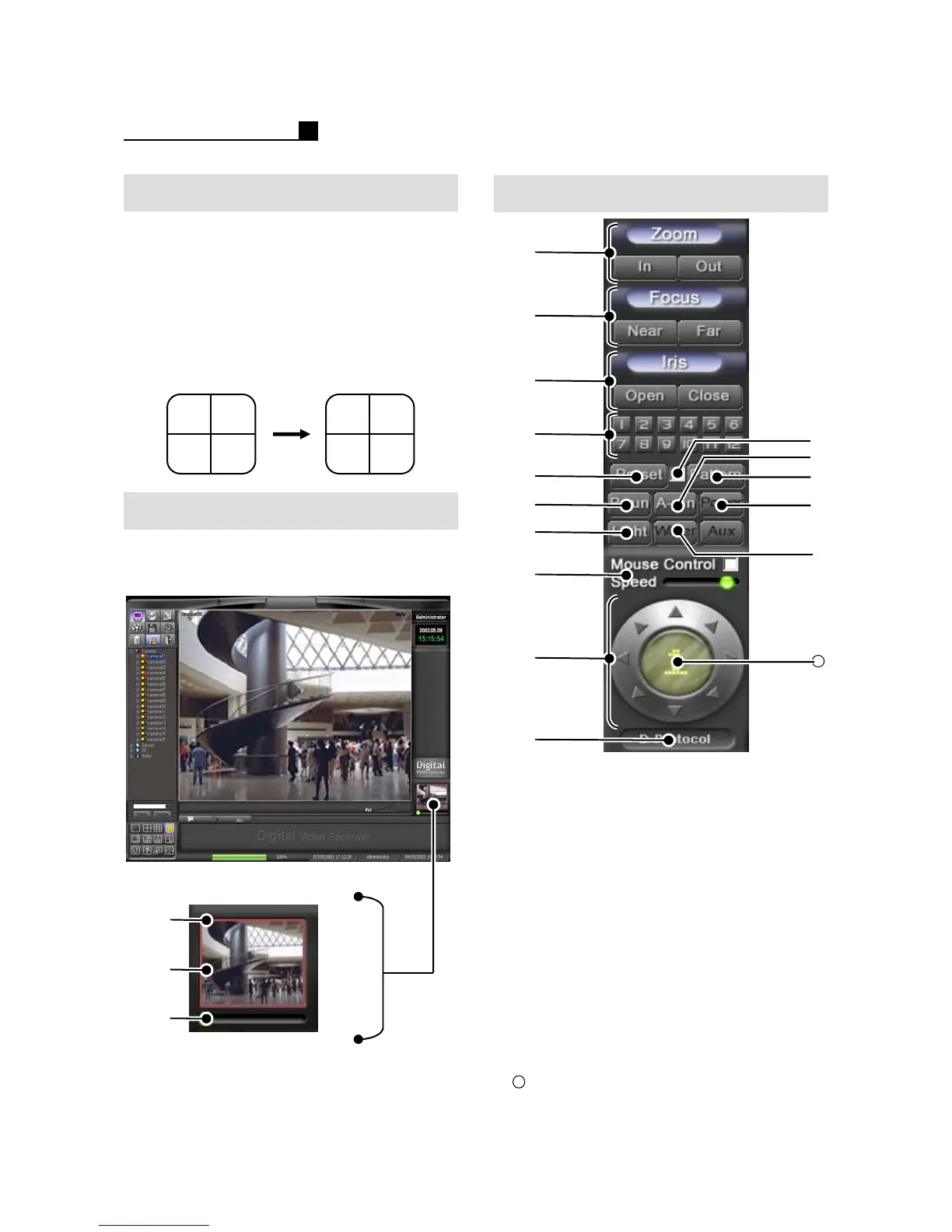
Digital Zoom
PAN/TILT
①Digital Zoom Box (RED)
② Panning View
③Digital Zoom Control Bar
MOT
MOT
①
②
③
Digital Zoom is only available at 1 CH
layout.
①
②
③
⑨
⑩
⑤
⑥
⑦
⑧
⑪
④
⑬
⑭
⑮
16
⑫
①Zoom
②Focus
③Iris
④Preset No.
⑤Preset
⑥P-Run
⑦Light
⑧ Mouse Control Speed
⑨PTZ Direction
⑩ Protocol Information
⑪ Preset/Pattern Save
⑫ A-Run: Auto moving to the Position
⑬ Pattern: Auto moving according to
Pattern Set
⑭ Power: Turn On/Off Camera
⑮Wiper
Camera No.
16
User Selection
① Click “USER SELECTION” button
② Drag a cam from “CAMERA
INFORMATION” and drop it on the
“LIVE VIEW”
Note:
The below is the example of “User
Selection”.
Cam1. Cam2.
Cam3. Cam4.
Cam2. Cam1.
Cam4. Cam3.



 To Next Page