OPERATION MANUAL
59
PAN/TILT Preset
⑧
①
②
③
④
⑤
⑥
⑦
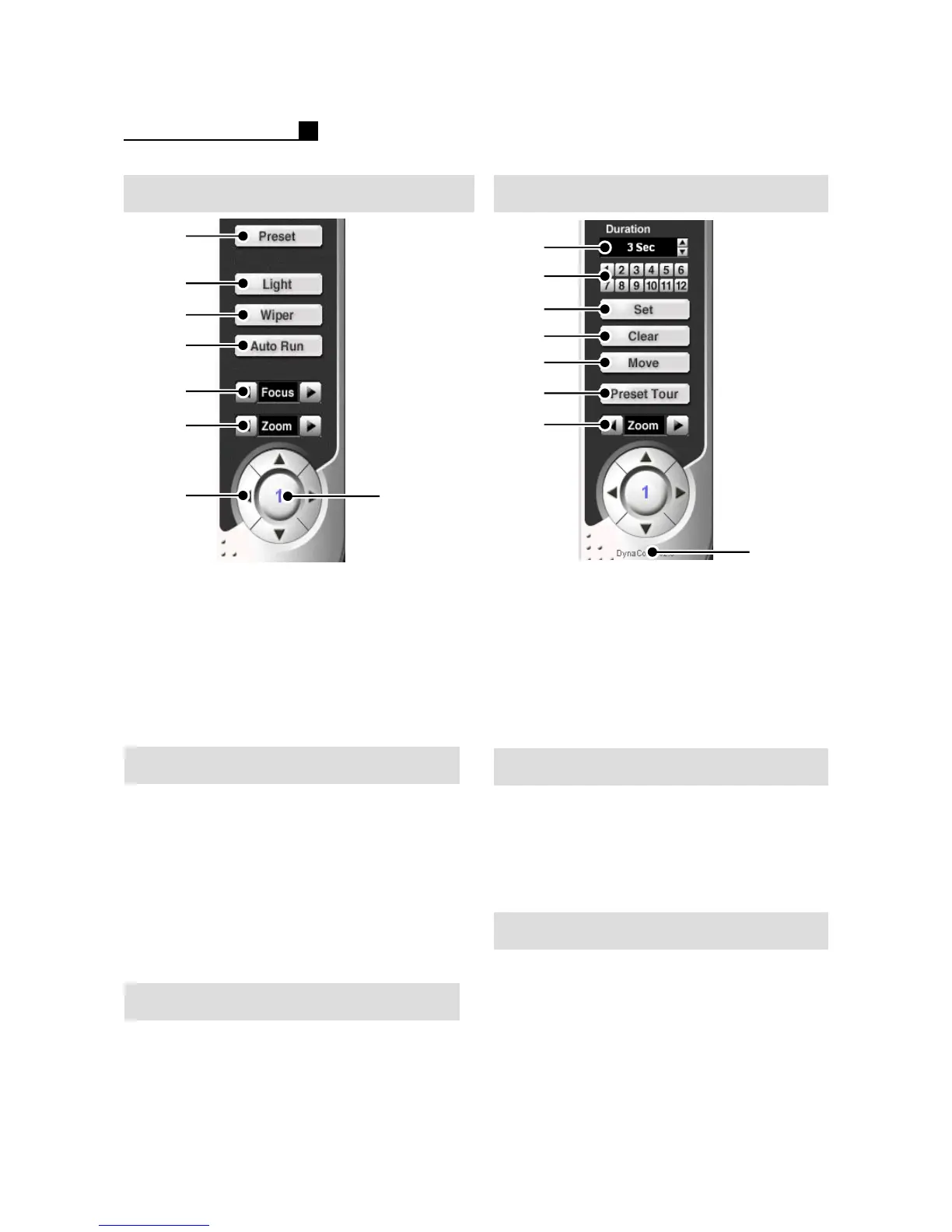
① Go to Preset setting
② Light On/Off or Camera Menu
③ Wiper On/Off
④Auto Run
⑤Focus
⑥Zoom In/Out
⑦Pan/Tilt Direction
⑧Show a selected camera
⑧
①
②
③
④
⑤
⑦
⑥
① Preset Duration
②Preset No.
③Preset Set
④Preset Clear
⑤Preset Move
⑥Preset Tour
⑦Zoom In/Out
⑧ Show Pan/Tilt Protocol
Preset Setup
① Select a camera on Live mode
② Press “Preset” button
③ Press “Set” button ON
④ Set direction and zoom for preset
⑤ Select a No. from 1~12.
⑥ Press “Set” button OFF
Note:
Camera should support “Preset” function
for Preset Setup.
Clear Preset Setup
① Select a camera on Live mode
② Press “Preset” button
③ Press “Clear” button ON
④ Select a No. from 1~12
⑤ Press “Clear” button OFF
PRESET MOVE
① Select a camera on Live mode
② Press “Preset” button
③ Press “Move” button ON
④ Select a No. from 1~12
PRESET TOUR
① Select a camera on Live mode
② Press “Preset” button
③ Press “Preset Tour” button ON
Move a camera according to the saved
Preset No. from 1~12



 To Previous Page