OPERATION MANUAL
35
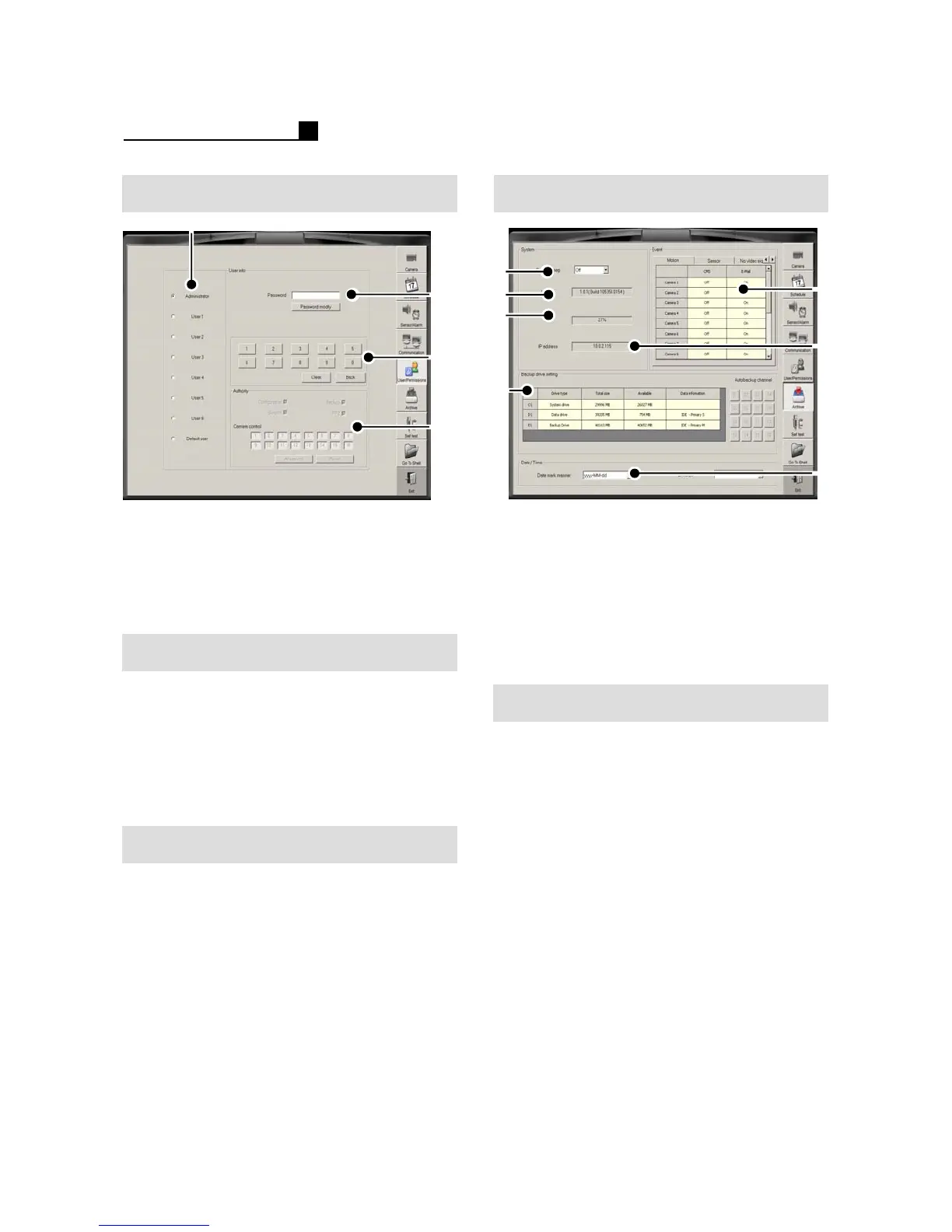
① User Selection
② Password Configuration
③ Password No.
④ Configuration, Backup, Search, PTZ,
Camera Selection
Password Change
① Choose user
②Input P/W
③ Click “Password Modify” button
④ Input New P/W and confirm the P/W
⑤ E-mail list for emergency transmission.
⑥ SMTP Server
User Authority Change
① Choose user
② Change “Authority” like Configuration,
Backup, Search, PTZ, Camera
③Save & Exit
⑤
⑥
⑦
①
②
③
④
① System Beep
②S/W Version
③ CPU Usage Status
④ Backup Drive Setting
⑤ Event Transmission Setting
(Motion, Sensor, No Video Signal)
⑥ IP Address
⑦DATE/TIME Format
①
④
③
②
ArchiveUser/Password
① Go to Backup Drive Setting
② Choose a drive
Ex) D:, E:, F:
③ Change the drive for Backup drive
④Save & Exit
Backup Drive Setting



 To Next Page