OPERATION MANUAL
34
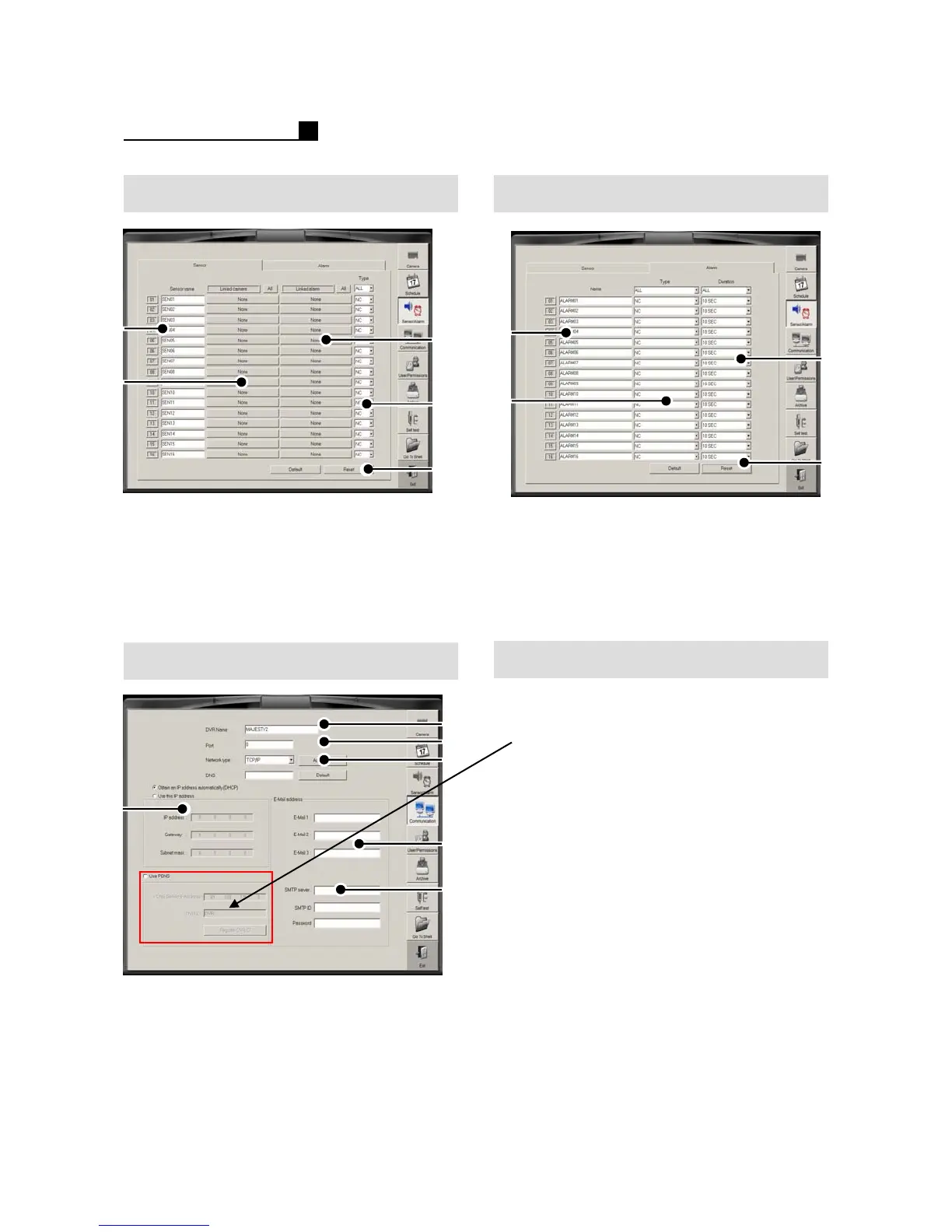
4.3 SENSOR Alarm
① Sensor Name
② Linked Camera Selection
③ Linked Alarm Selection
④ Sensor Type (N/C, N/O)
⑤Default
⑥Reset
① Alarm Name
②Alarm Type (N/C, N/O)
③ Alarm Duration
(1 time, 1Sec~10Min, Continue)
④Default
⑤Reset
④
③
①
②
Network
⑥
①
②
③
⑤
④
①DVR Name
② Network Port
③ Network Type (TCP/IP,MODEM)
④ DHCP/IP Setting
⑤ E-mail list for emergency transmission.
⑥ SMTP Server
⑤
④
②
①
③
How to set PDNS
①Tick “Use PDNS”
②Type “DVR ID”
③ Press “Register DVR ID”
Note:
If the DVR ID is already used on other
DVR, it will show warning message.



 To Next Page