OPERATION MANUAL
38
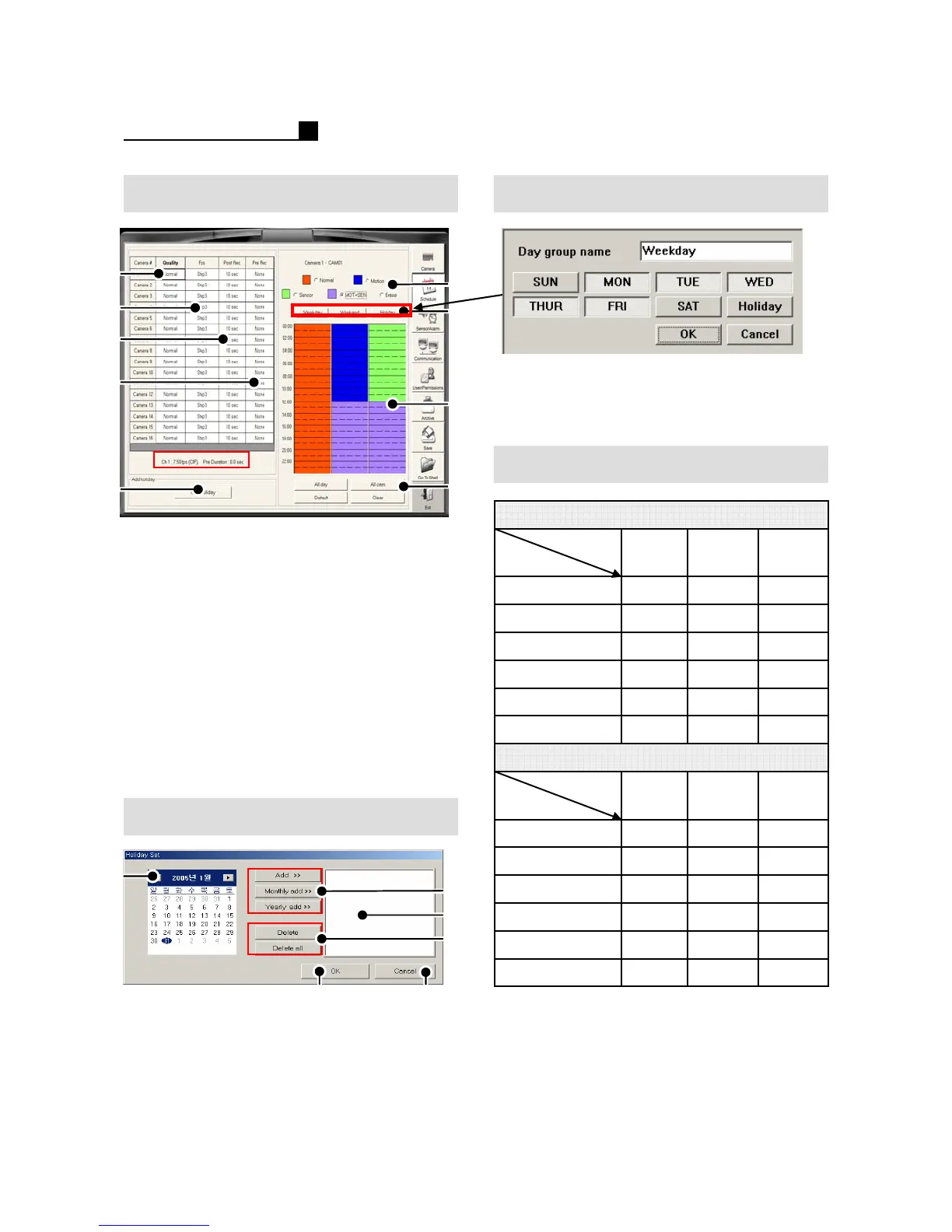
Schedule Schedule Group Setting
①Quality (5 Steps)
② Recording Speed
③ Post Recording (10Sec~5Min)
④ Pre Recording(4 Steps)
⑤ Recording Type Selection
⑥ Weekday, Weekend, Holiday
⑦ Schedule Setting Area
⑧Default
Clear –Delete a camera schedule
All Cam –Apply a schedule to all
Cameras
All Day –Apply a schedule to all days
⑨Add Holiday
③
①
④
②
⑤
⑥
Holiday
① Previous/Next Month
② Add, Monthly Add, Yearly Add
③ Added Holiday List Box
④ Delete(1 time), Delete all holidays
⑤Save & Exit
⑥Exit
①
③
④
②
⑨
⑥
⑦
⑤
⑧
① Click “Weekend”, “Weekday”, “Holiday”
for group setting.
② Select days for the group of weekday.
64
32
16
8
4
2
96 64 Step 5
48 32 Step 4
24 16 Step 3
4832 16 Step 5
2416 8Step 4
128 4Step 3
192
Long
6
12
MiddleShort
LongMiddleShort
128
8
3
6
96
4
Duration
FPS
Step 1 (MAX)
Step 2
240FPS (Model 6916) Duration-Sec.
6432Step 6 (MIN)
480FPS (Model 8916) Duration-Sec.
Step 6 (MIN)
4 2 Step 2
2 1 Step 1 (MAX)
Duration
FPS
Pre Duration Information



 To Next Page