OPERATION MANUAL
53
7.2 PDNS Connection
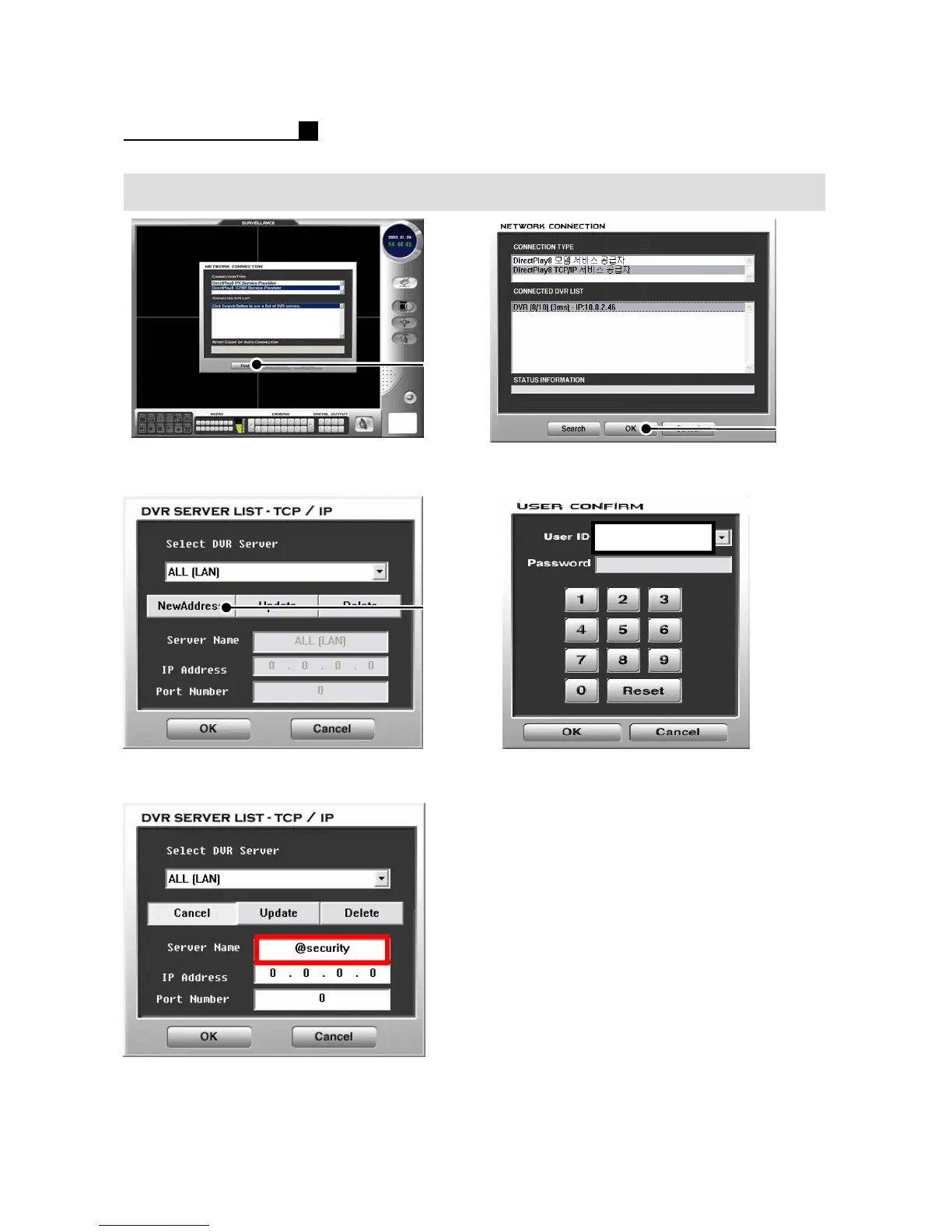
① Press “Find” or “Search” button
② Press “New Address” button
②
①
③ Type Server name like the above
Ex) @security
④ Press “OK” button
⑤ Choose a “USER ID”
⑥ Select the P/W for the User ID
Default P/W is “0”.
⑦ Press “OK” button
①
Administrator
Note:
PDNS Setting on DVR should be done to
Use PDNS on Client Connection.
Refer to the Page32 for PDNS Setting
on DVR
Note:
Type “@”with DVR ID into Sever Name.



 To Next Page