Guangzhou Topshine Information Technic Co., LTD
Address: RM 605, #52 SHUI YIN RD, YUE XIU DIST, GUANGZHOU, CHINA
User manual of tracker MT01
-
7
-
Flashing (every 0.1 second)
Flashing (0.1 second on and 2.9 seconds off)
Device is connected to the GSM network
Flashing (1 second on and 2 seconds off)
Device is not connected to the GSM network
6. Connect the tracker MT01 to GPRS01 Web Server Platform
Two Methods to set GPS tracker online:
Configure by Computer or SMS Commands
Optional 1: Configure by Computer to set GPS tracker online
This part shows the basics of how to use the GPS tracker Parameter Editor.
Note: Don’t connect MT01 to external battery when configuring.
How to Edit the Parameters of Tracker on PC
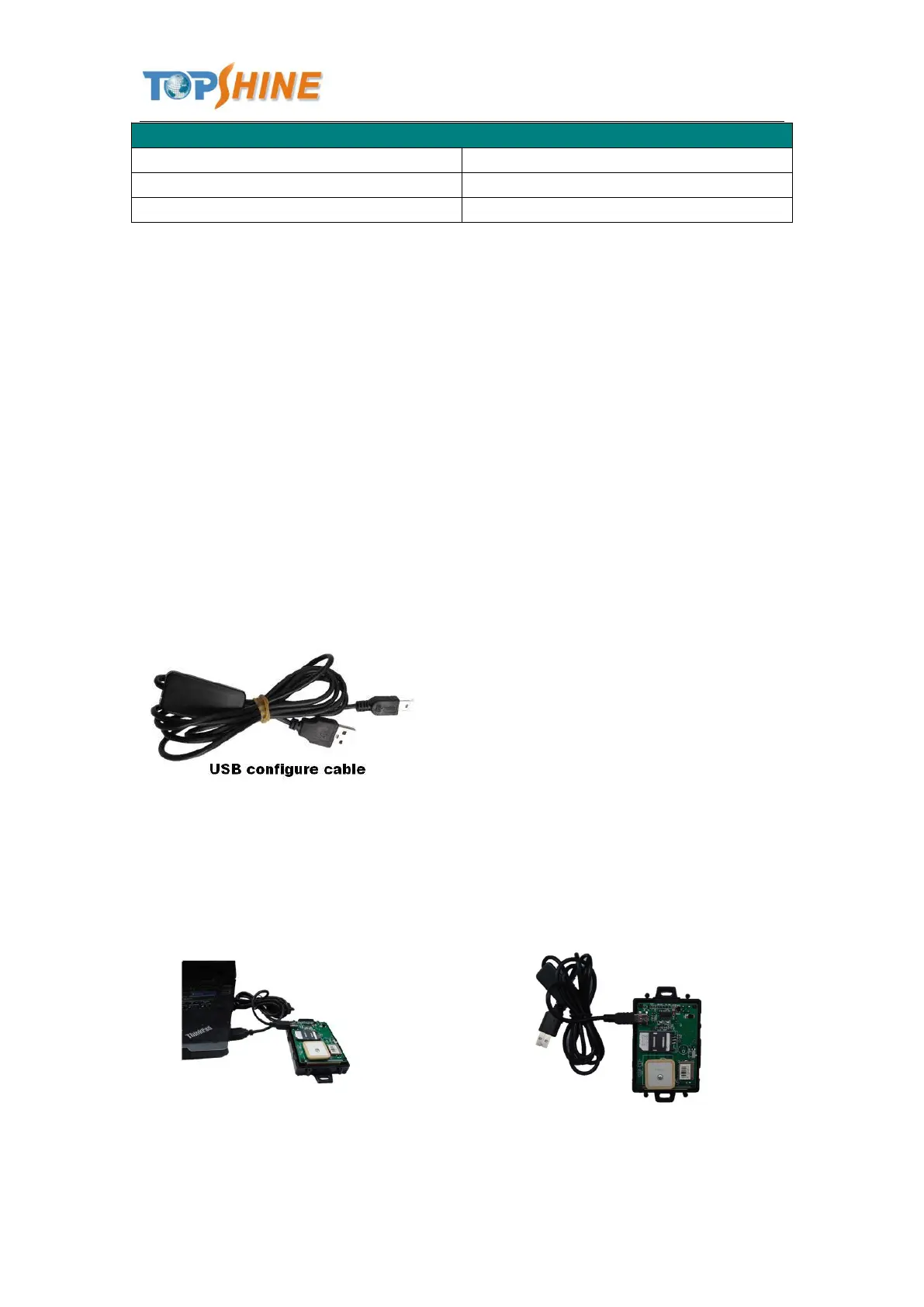
① (Buy one specific USB cable for configuration from our Company)
② Install USB driver program for the configuration USB cable
1. Run ‘CP210x_Prolific_DriverInstaller’ to install the driver for the USB data cable.
Note: CP210x_Prolific_DriverInstaller is in the folder ‘USB-232 Driver’ in the CD. Connect the
USB Data Cable between MT01 and PC.
2. Connect the configuration cable with PC, open device management of your computer,



 To Next Page