Guangzhou Topshine Information Technic Co., LTD
Address: RM 605, #52 SHUI YIN RD, YUE XIU DIST, GUANGZHOU, CHINA
User manual of tracker MT01
-
9
-
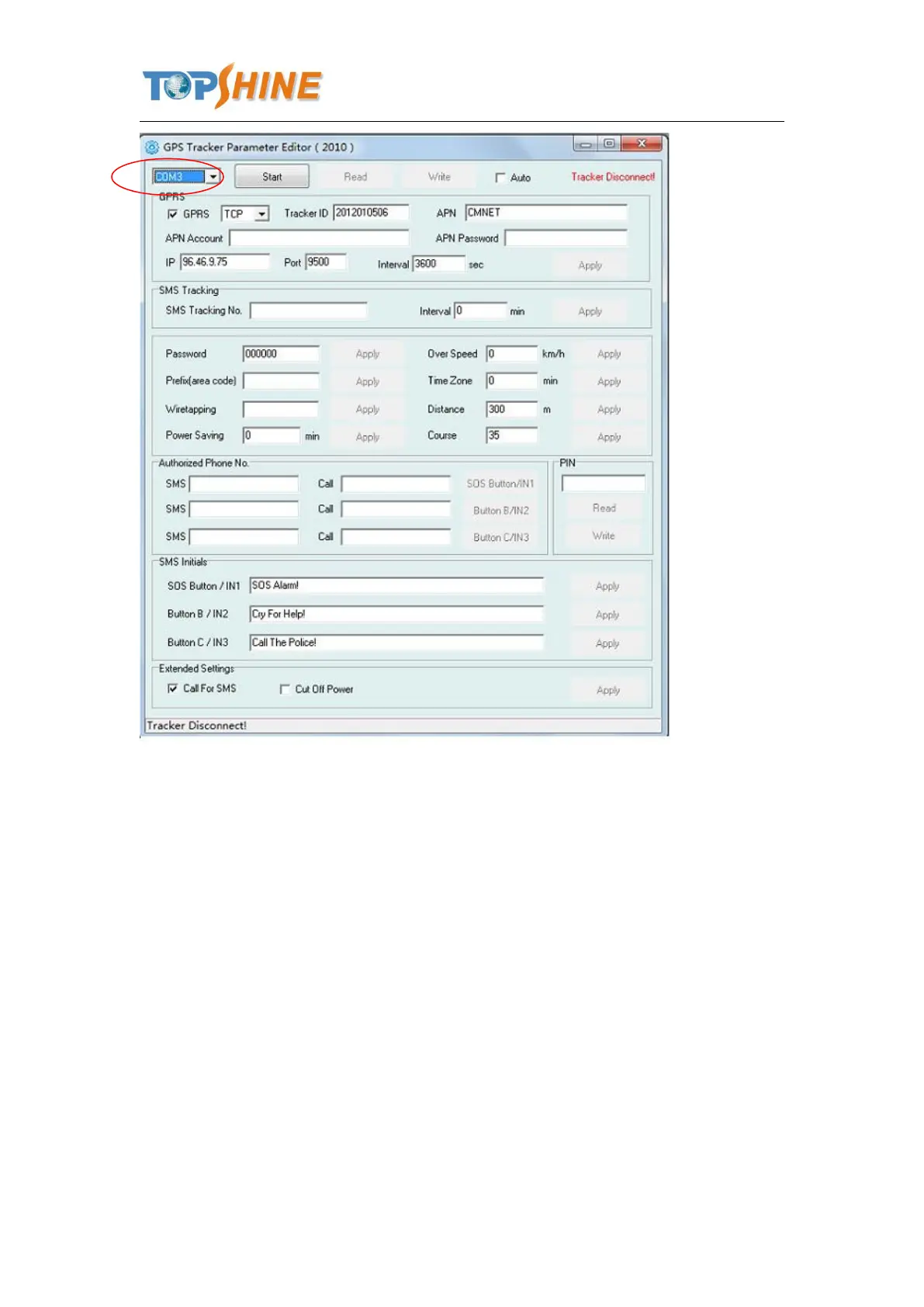
4. Click Start button to open the COM port,
5. Turn on MT01 and it will connect with the Editor automatic, As soon as they connect successful,
all the buttons are availability and the status bar will clue on’ Tracker Connect!’ , first click
“Read” to read the tracker’s parameter, when all the parameter read out, you can write the
parameter you need.
Note: “Read” button: when you click the Read button, it means Read the parameters of the tracker.
“Write” button: when you write the parameters to the Parameter Editor, then click the Write
button, the parameters will write into the tracker.



 To Next Page