76
Installation:
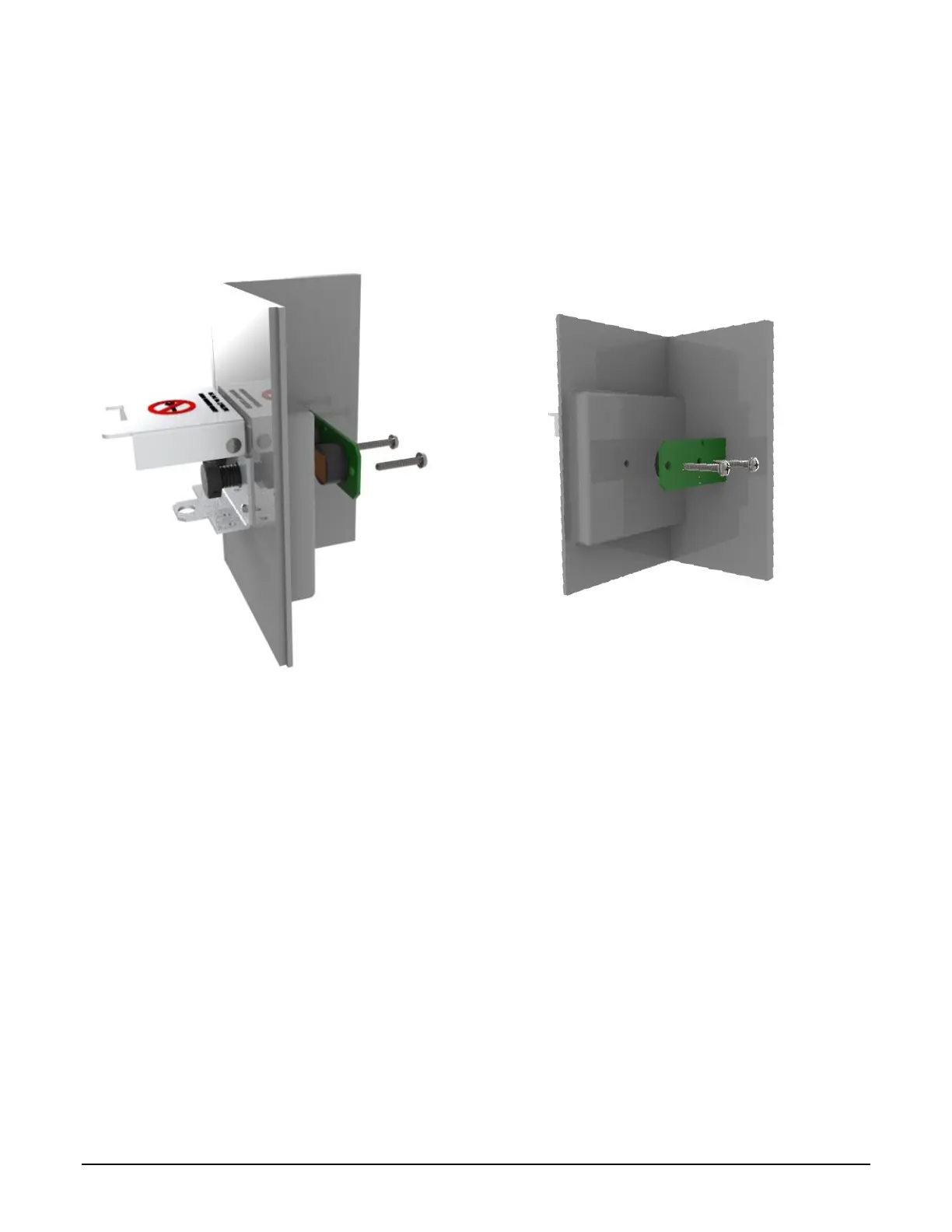
1. Install the new switch assembly using the same screws. Install with the cut corners facing
outward. DO NOT over-tighten and simply secure gently. Over-tightening will crack the ferrite
rings, damaging the switch.
2. Reinstall the connector.
3. Installation complete.
Figure 7.13 ML II/ RCU II DIV2 W&M Assembly
Ice Shield Removal and Replacement 7.7
Part Number: Ice Shield: 2443
The ice shield is a current standard on MultILoad II and RCUII slotted card readers.
For installations having freezing temperatures with precipitation for extended periods of time, an ice
shield prevents ice from forming on the proximity card reader slot. Older construction with the proximity
card reader mounted behind glass does not have the ice shield.
Removal:
1. Remove the four prox ring screws using a T10 Torx driver bit with a center pin.
2. Remove the metal prox ring.
3. The rubber ice shield may be removed.



 To Next Page