- 100 -
6. Appendix
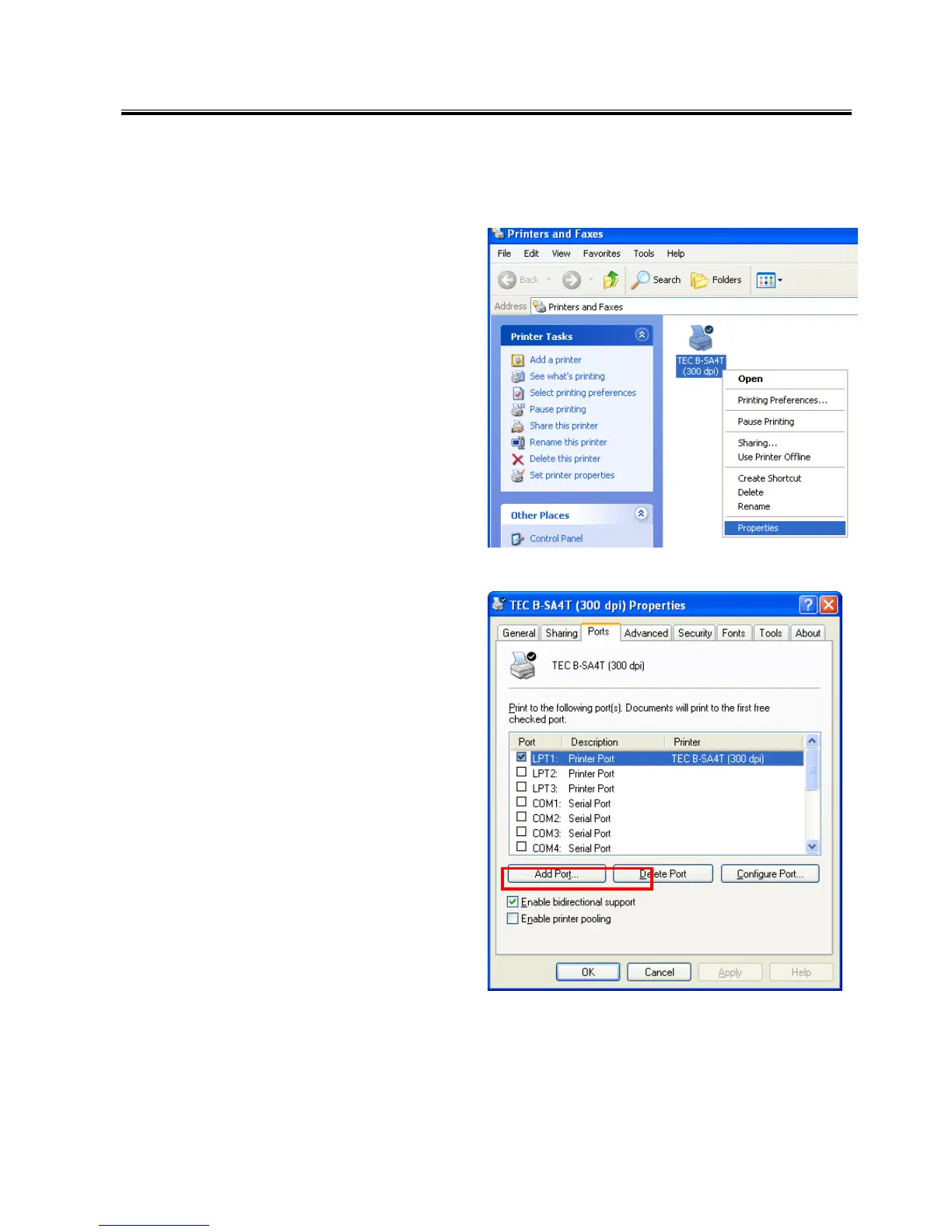
6.1 How to Enable Bi-directional Communication Support
1. Right-click the printer icon and open the
Properties.
2. Click the [Port] tab.
To enable the bi-directional support, check the
“Enable bi-directional support” checkbox.
To disable the bi-directional support,
remove the check from the “Enable
bi-directional support” checkbox.



 To Next Page
 Loading...









