- 24 -
2.3 Installation under Windows Vista/Server2008/7/
Server2008R2/8/Server2012/Server2012R2/10
Note: If the installation did not succeed, follow the procedure described in How to set up Windows
Vista/Server2008/7/Server2008R2/8/Server2012/Server2012R2/10 again.
1. Turn on the PC.
Note: Log on as the user with administrative privilege.
2. Select “Start”, “Control Panel”, “Hardware and Sound”,
and “Printer” to open the printer folder.
Supplement: Entering “Printer” in the Search box of the Start menu causes the “Printer” to be shown in the
Program.
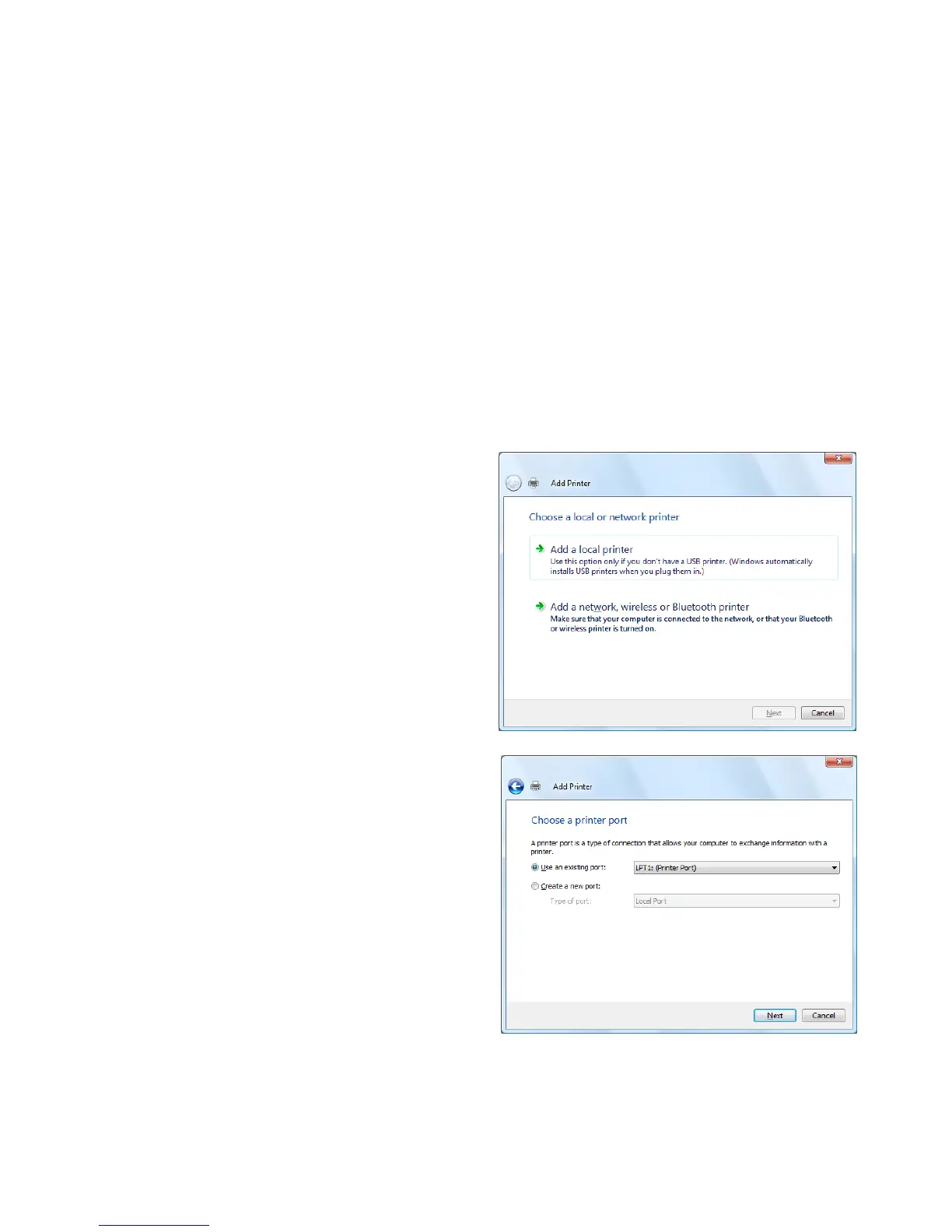
3. Click the “Install a Printer” to start adding a printer.
4. Select the “Add a local printer”.
5. Select a printer port, and click the [Next] button.



 To Next Page
 Loading...









