- 65 -
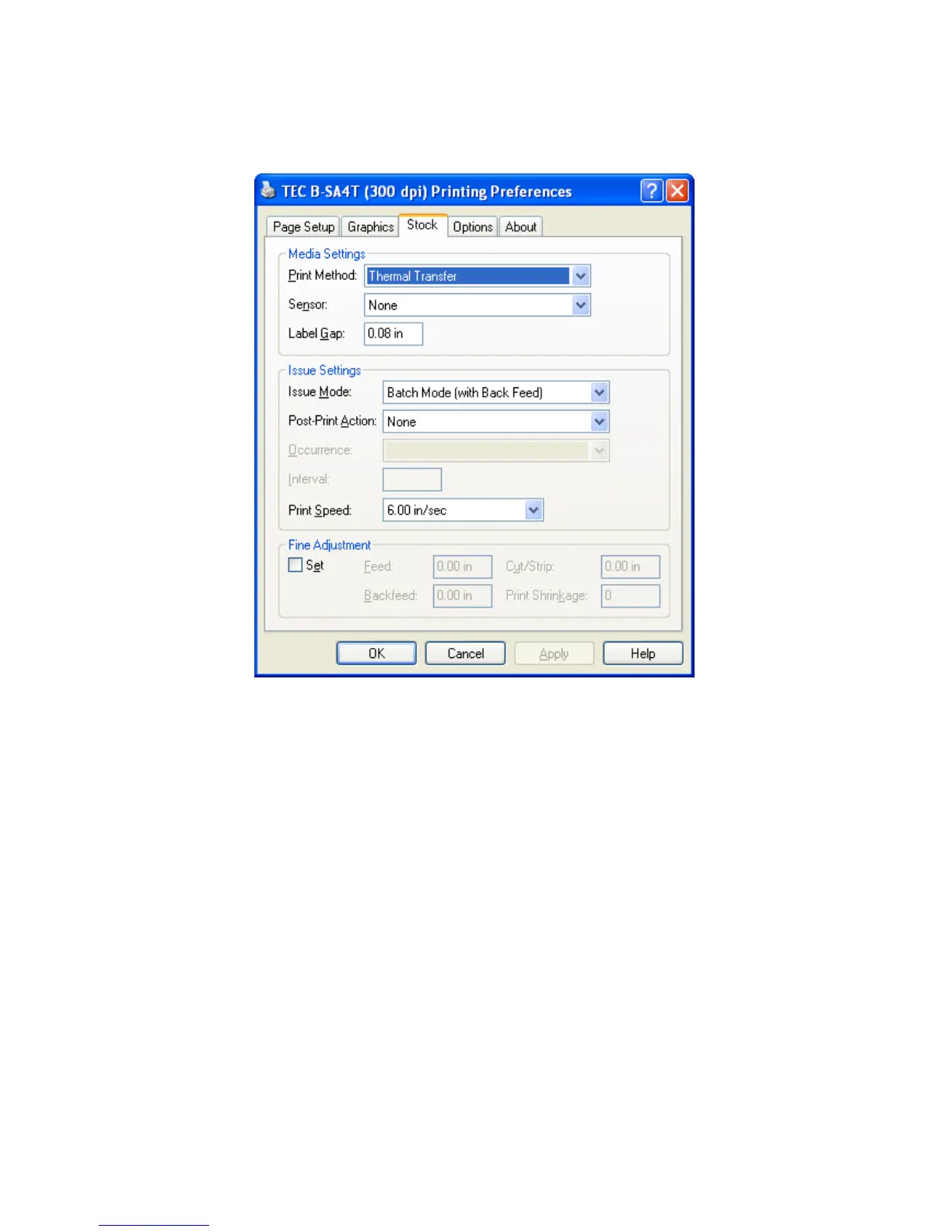
3.3 Stock Tab
Clicking the Stock tab allows setting various print conditions specific to the printer, such as the media settings,
issue settings, and fine adjustments.
Media Settings
Print Method
Enables selecting the print method.
• Direct thermal
• Direct thermal (Head up)
• Thermal transfer
• Thermal transfer (Ribbon save)
The “Thermal transfer (Ribbon save)” is available only to the printer supporting the ribbon saving function.
The “Direct thermal (Head up)” is available only to the RFID-enable printer. The print head is lifted to avoid
RFID tag embedded area to protect the RFID tag. If you select the “Direct thermal (Head up)” for non
RFID-enable printer, an error occurs on the printer.



 To Next Page
 Loading...









