6 TEMPLATES
192 Changing Data
Changing template data
1
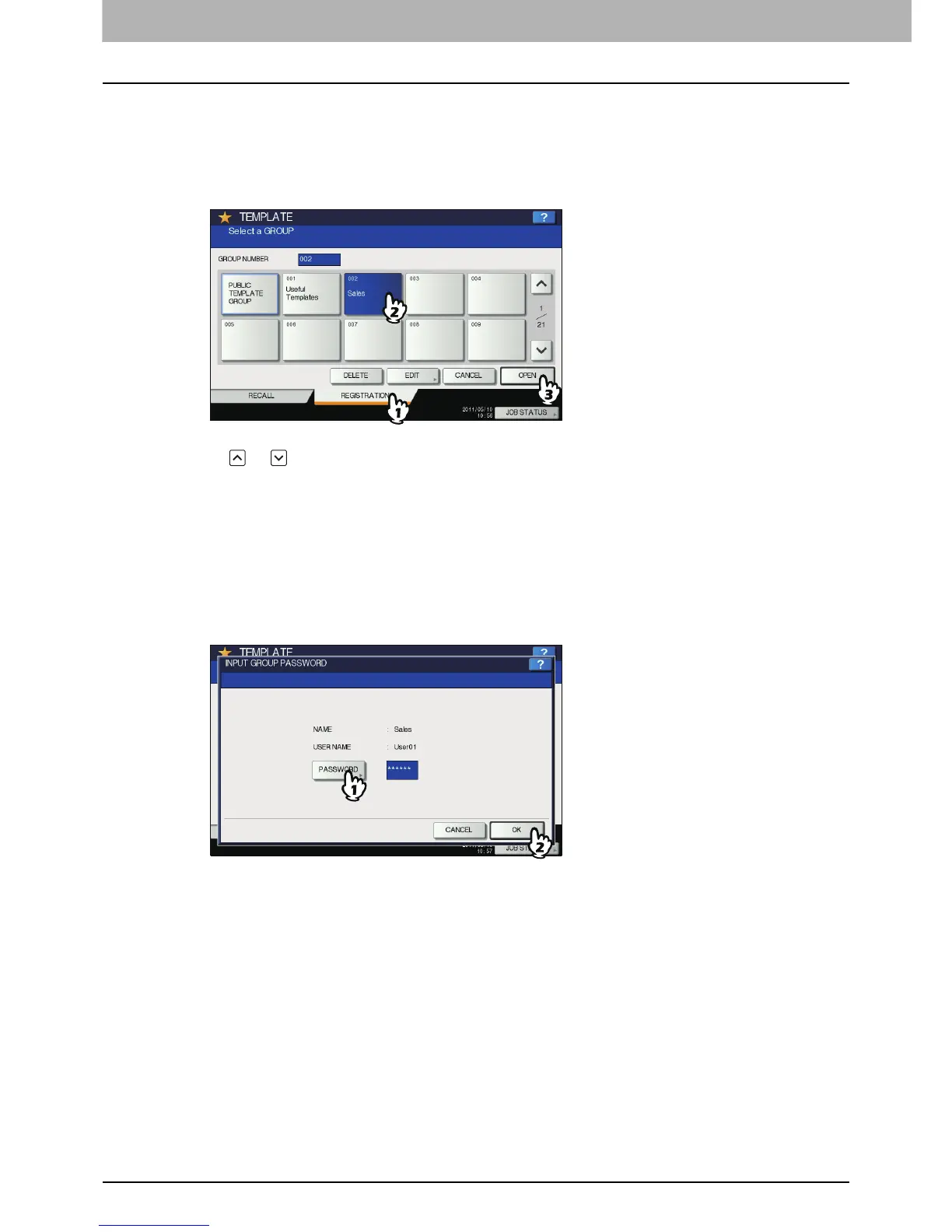
In the template menu, select the group to which the desired template is registered.
1) Press the [REGISTRATION] tab.
2) Select the desired group by pressing its button or keying in its group number (3 digits).
3) Press [OPEN].
To switch the menu
Press or .
2
Enter the password as follows and then press [OK].
When the public template group is selected: Press [PASSWORD] and then enter the Admin
Password (6 to 64 characters) with the buttons on the touch panel or the digital keys on the control
panel.
When a private group is selected: Press [PASSWORD] and then enter the password (up to 20
characters) with the buttons on the touch panel or the digital keys on the control panel. If no
password is set, go to step 3.



 To Next Page
 Loading...



