6 TROUBLESHOOTING
186 Paper Jams
Paper jams within fuser unit
y Be careful not to let your fingers be caught between the equipment and the side cover.
This could injure you.
y Do not touch the fuser unit or the metal part around the unit.
This could cause burns, or injury to your hands if you touch the inside of the equipment.
1
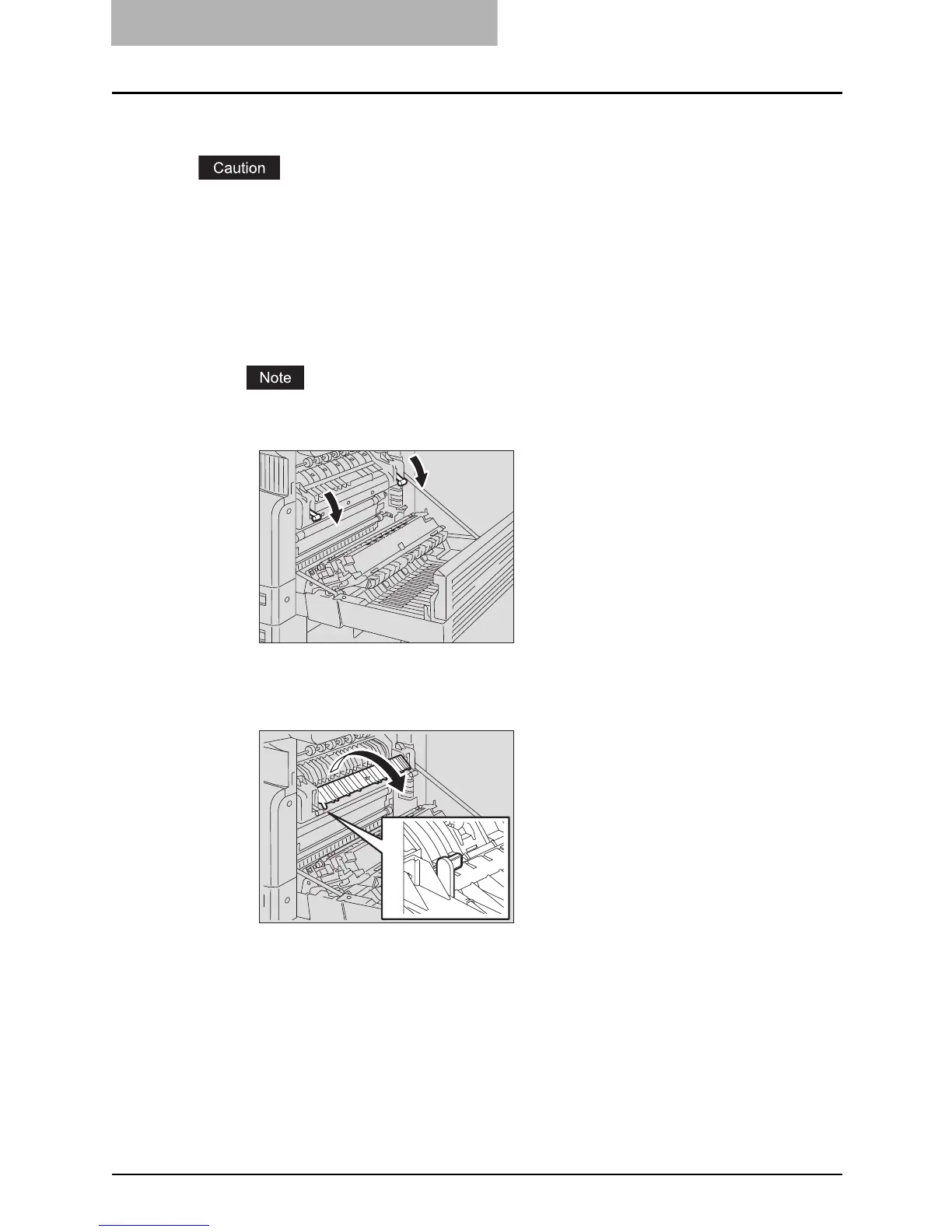
Open the side cover, and then lay down the transfer unit. Then
press down the two fuser pressure release levers (green) until they
come to a stop.
Press down the levers fully until they stop.
2
Open the transport guide while holding the knob.



 To Next Page
 Loading...










