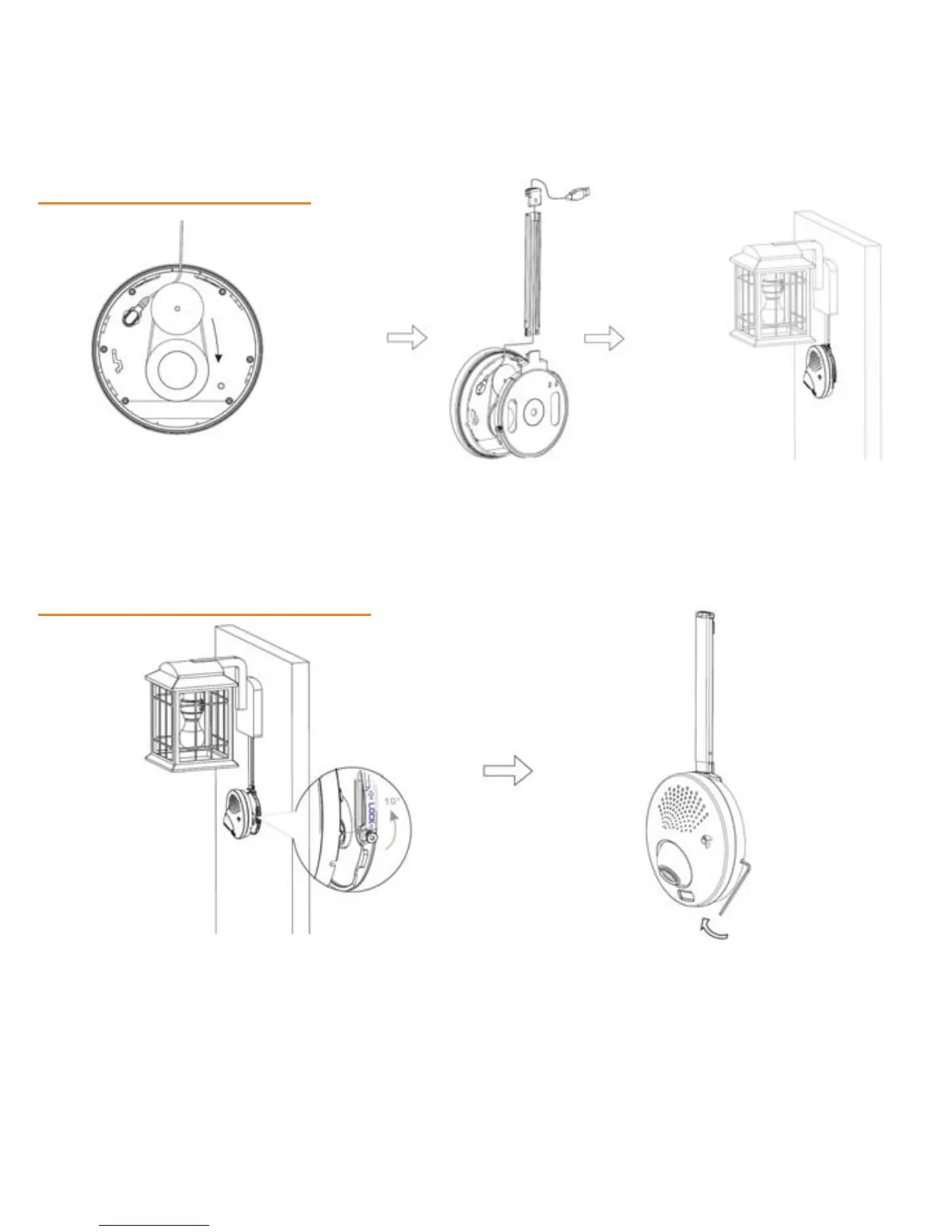
Step 3: Cable management
1 2 3
Plug USB Cable into the back of the Attach Conduit to align the Position camera and
camera and loop the cable around cable. Extend/retract conduit’s use Cable Clips to
the rings; continue looping the cable length by sliding it. Then attach manage the cable
if necessary the Conduit Cover to the top of if necessary
the conduit
11
Step 4: Camera body installation
1 2
Mount the camera to the back plate and align Tighten the lock with Hexagonal
the white dot to the left of the screw where Screwdriver
the white arrow starts and rotate camera 10˚
counter-clockwise to lock


 To Next Page