I want my spouse or family member to use my Toucan, how do I share it with them?
You can access your Toucan from multiple logins and devices as long as you have the Kuna app
downloaded, so you can share access with your spouse or another family member.
21
T
o share your Toucan, the easiest
way is to have the other person first
sign up for their own Kuna account.
To sign up for an account refer to
S
ecti
on 4, Step 1, 2, and 3
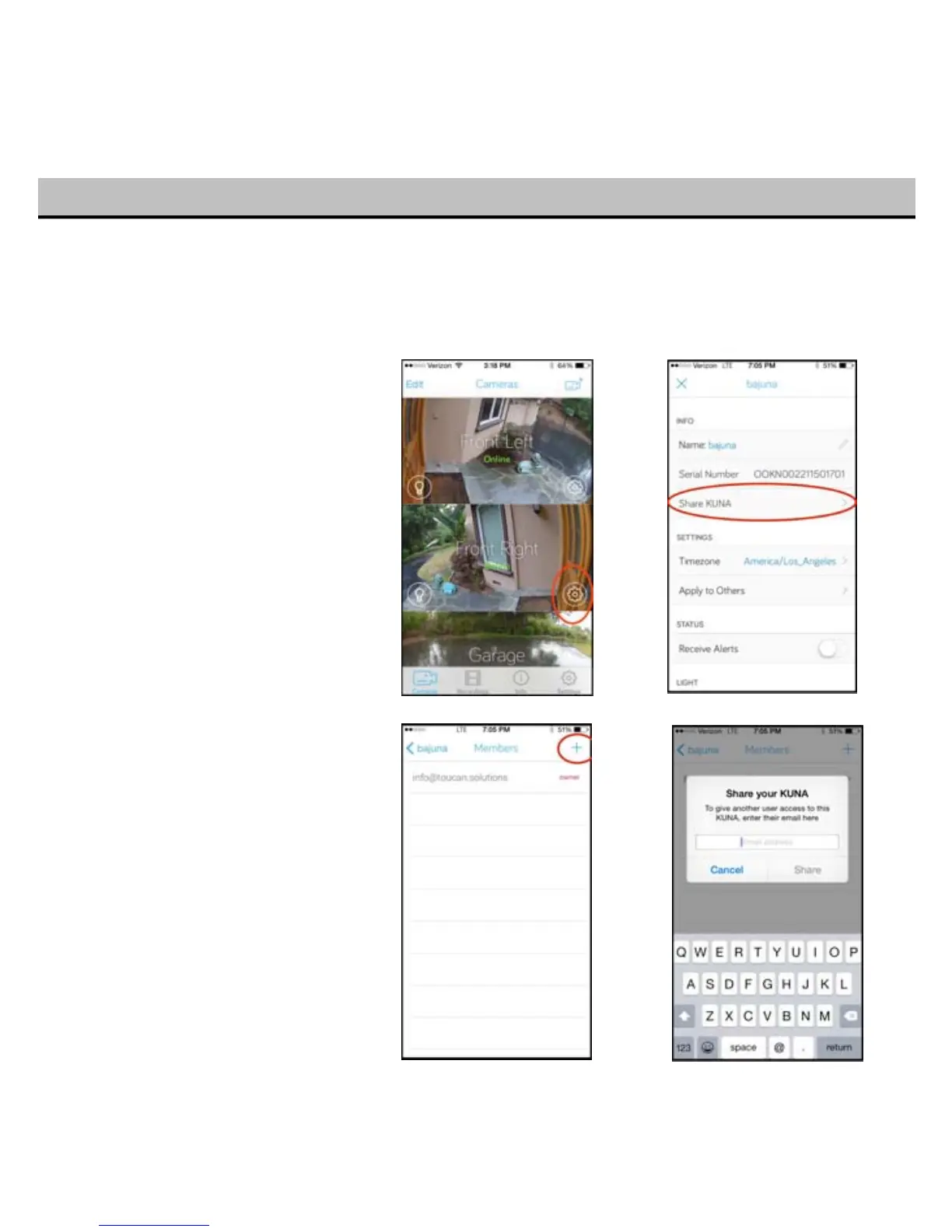
To share, tap on the settings “gear” for
that particular Toucan, then select
“Share
Kuna” option.
Tap the “+” button to add other users,
then enter the email address for their
account.
The other user will automatically get
access to this Toucan the next time they
lo
g in to the Kuna app.
Note:
Alert preferences are set
individually for each account. Refer
to Section 9 to manage alert settings


 To Next Page