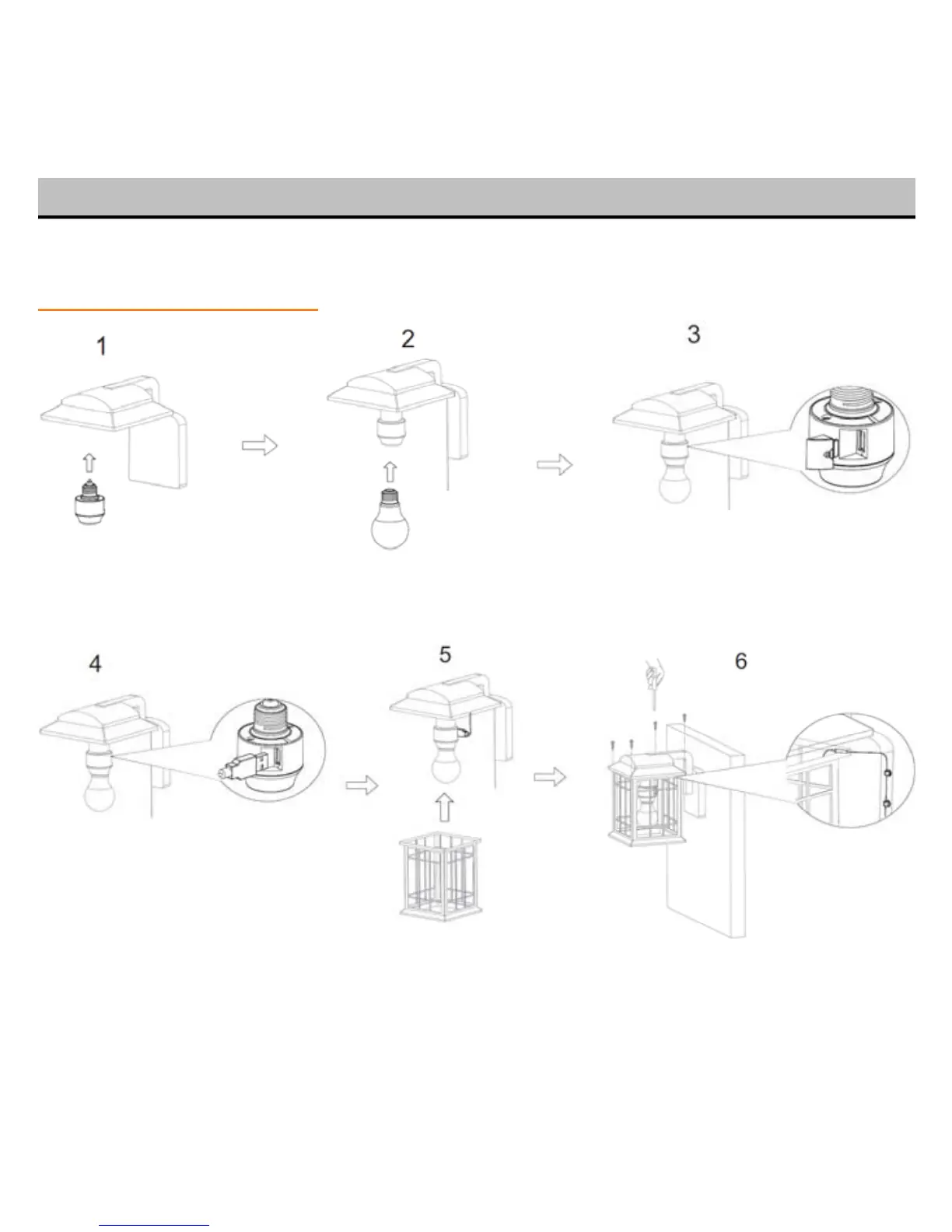
Refer to “What Is Included” in Section 2 for part installation for the steps below:
Step 1: Socket installation
Install Smart Socket Thread in light bulb Remove USB cover
to fixture
Attach USB Cable to Reattach lamp shade Screw lamp shade back in and drag
8
Smart Soc
ket if necessary out USB cable through the shade
then adjust Silicon Pip from USB e
cable to protect cable


 To Next Page