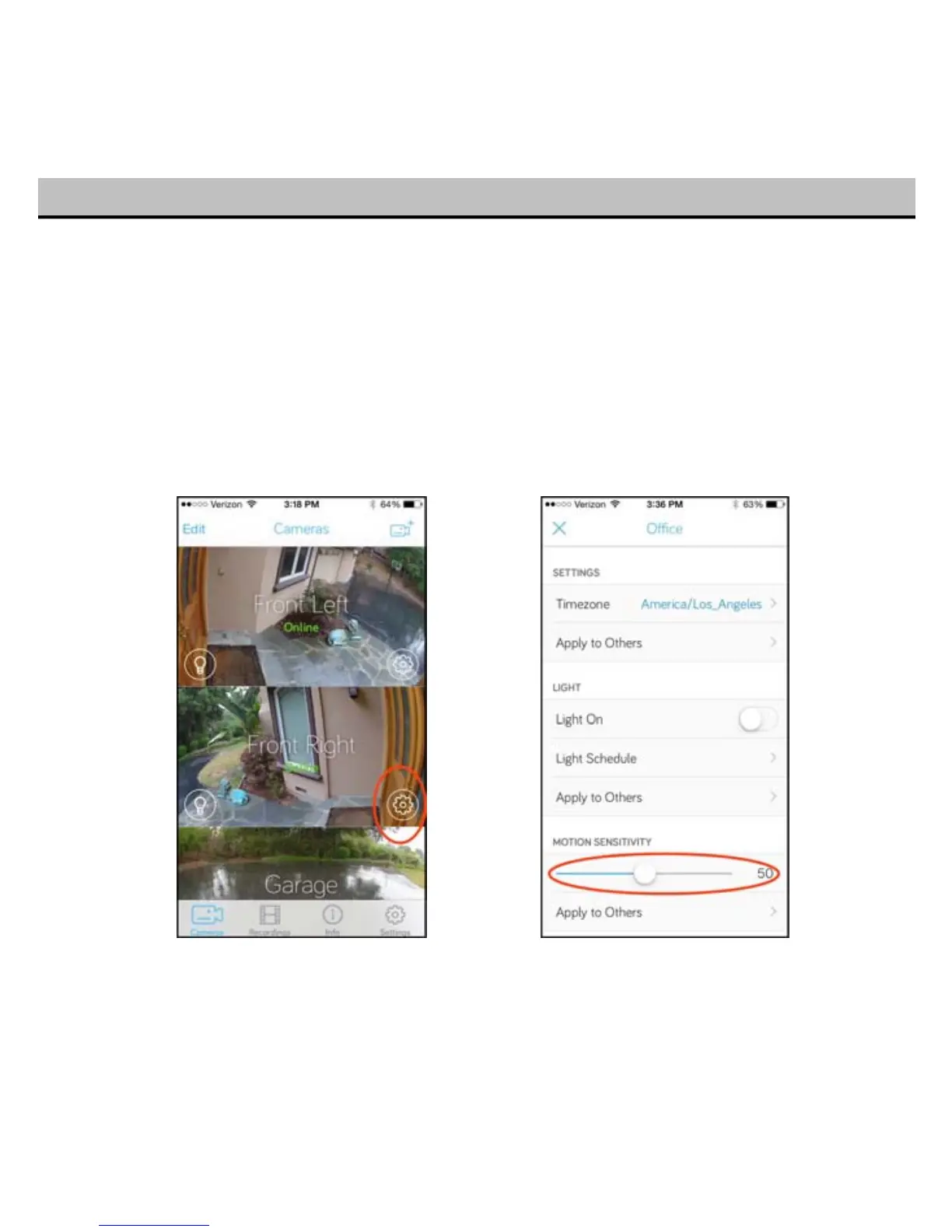
If your Toucan is picking up a lot of false alarms or missing you when you walk by, you can adjust the
motion detection sensitivity yourself.
Tap on the settings “gear” icon for the Toucan you wan to adjust in the “Cameras” tab.
Adjust the sensitivity slider. 0 is the least sensitive, and 100 is the most sensitive. If your Toucan faces
the street, we recommend a setting of about 50 as a good balance between prompt detection and
filtering out cars.
18


 To Next Page