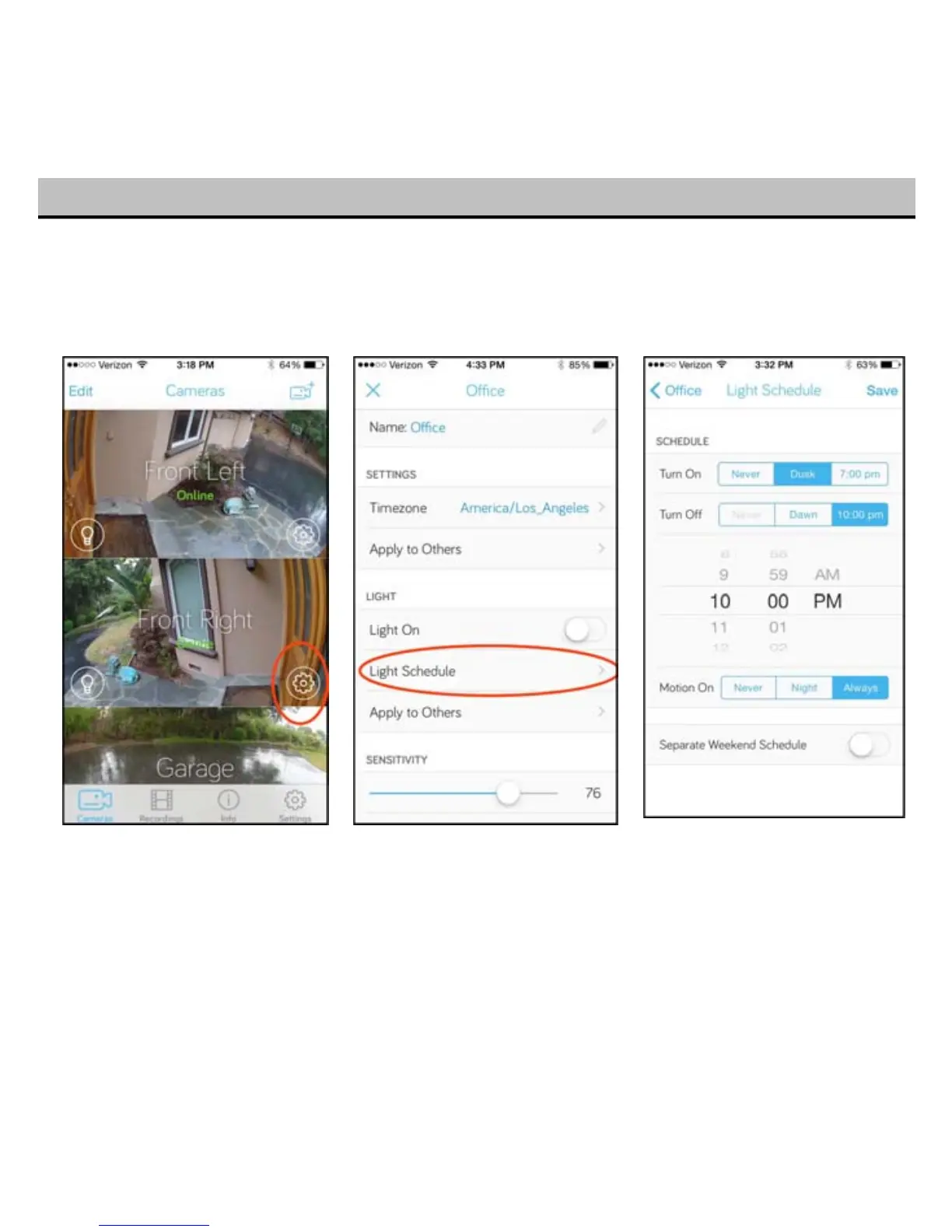
You can set when your Toucan light to turn on and off with a light schedule and motion detection.
Tap the settings “gear” for the light you want to adjust in the Camera tab of the app. Then scroll down
and tap Light Schedule.
16
For exa
mple, if you want your light to turn on automatically in the evening, but off at night to save
energy, you can choose “dusk” for when the light comes on, “10 pm” for when the light turns off, and
have the motion sensor turn the light on at night.
Your light schedule will work best if your Toucan knows your general location. To set up or change your location,
refer to Section 6.


 To Next Page