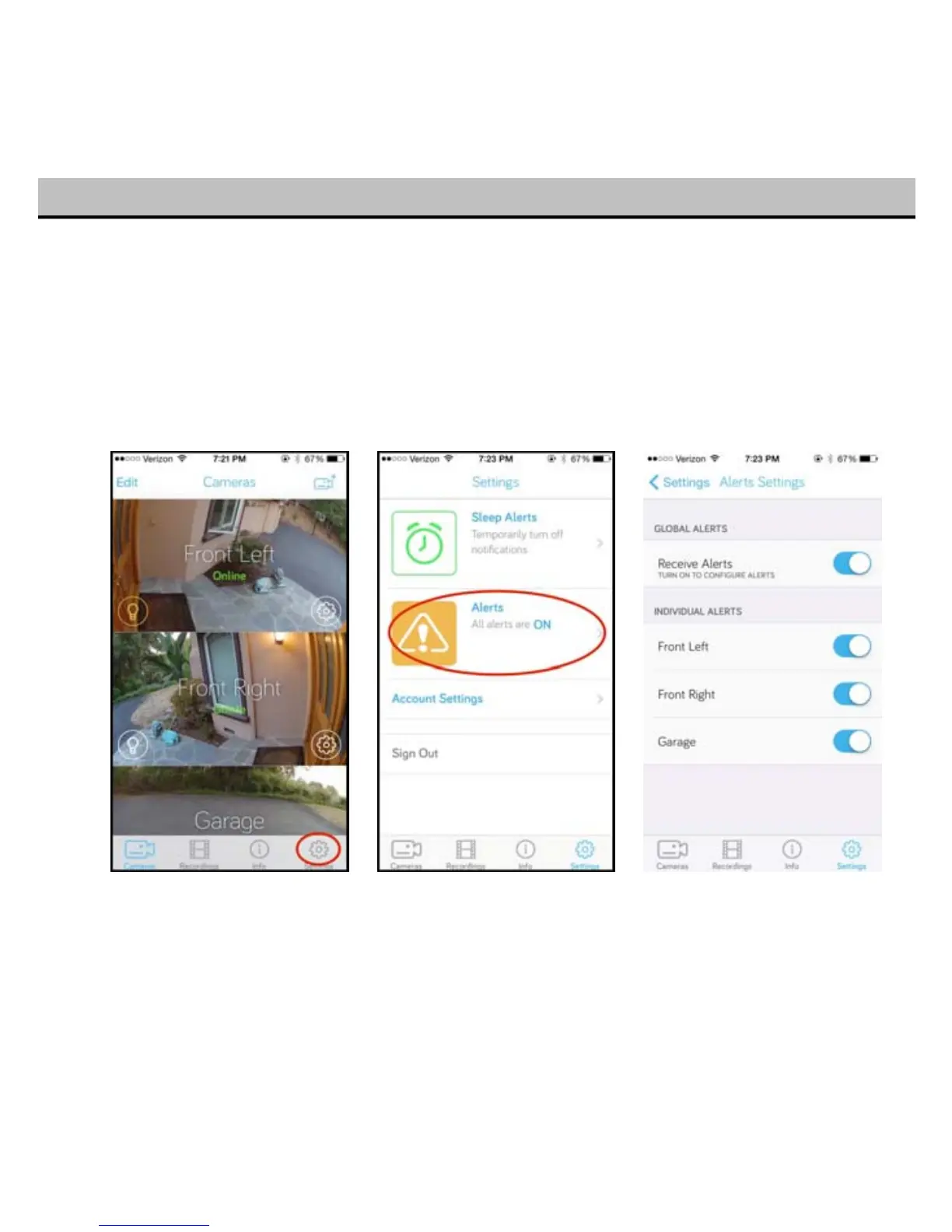
I want to get alerts from my front door Toucan, but I don’t want to get alerts for my garage Toucan
You can set the alerts for your Toucans in two different ways. First is to go into the global setting view,
then select the alerts.
You’ll be presented with a menu that allows you to turn on alerts globally (for all your Toucans at the
same time) or individually for each Toucan.
Note: These settings are unique to your account, so if you have shared your Toucan with another user
they can set their own alert settings. To share your Toucan to another user, refer to Section 10
20


 To Next Page