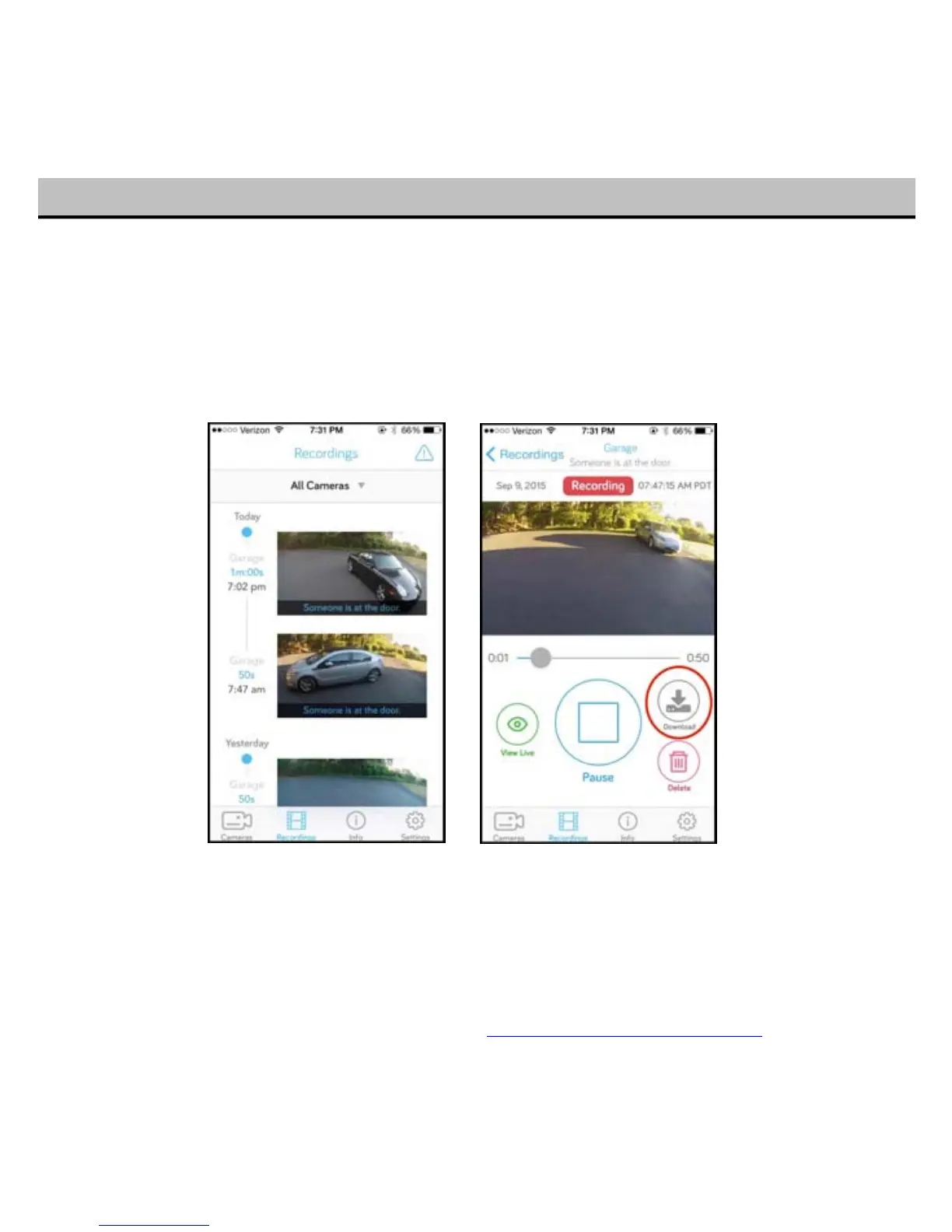
To view your past recordings, tap “Recordings” to view animated video thumbnails or tap into the
video of your choice.
To download a recording, simply select the recording to view it. Then tap the download button and the
recording will be saved to your phone.
You can find the recording in your film roll in iOS, and in your Downloads folder in Android. Then you
can email it, or share it!
With any premium plan, you can download as many recording as you want. Without a plan, you are
limited to three downloads per month.
19
T
o learn more about optional subscription plan, visit https://www.getkuna.com/plan/


 To Next Page