EasyManua.ls Logo

Toucan TSK100KU - User Manual

Toucan TSK100KU
25 pages
Print Icon
To Next Page IconTo Next Page
Loading...
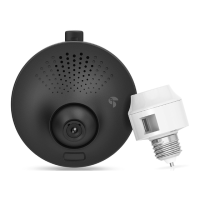
Toucan Surveillance Kit
Camera & Smart Socket
User’s Manual
Model: TSK100KU
Question and Answer IconNeed help?

Do you have a question about the Toucan TSK100KU and is the answer not in the manual?

Summary

Key Features

Two-Way Communication

Built-in microphone and speaker for clear audio communication.

Toucan Camera & Socket Installation

Socket Installation

Details the process of installing the smart socket into a light fixture.

Mounting Camera Back Plate

Explains how to mount the camera's back plate using adhesive or screws.

Getting The Kuna App

Add Your Toucan to Your Account

Steps to connect and add your Toucan device to the Kuna app.

Setting Up A Light Schedule

Setting Motion Detection Sensitivity

Viewing & Downloading Your Recordings

Setting Alerts For Individual Toucans

Troubleshooting & FAQ

Toucan TSK100KU Specifications

General IconGeneral
BrandToucan
ModelTSK100KU
CategorySecurity Camera
LanguageEnglish